IP Camera Viewer
Your Pocket Surveillance Hub: A Look at IP Camera Viewer
Your Pocket Surveillance Hub: A Look at IP Camera Viewer
If you’re anything like me, keeping an eye on your home while you’re away is a top priority. That’s where IP Camera Viewer comes in handy. This nifty little app turns your phone into a surveillance haven, letting you monitor various camera feeds with ease. Let’s dive into what makes this app tick and whether it’s the right fit for your security needs.
Getting Your Surveillance System Running
First things first, downloading and setting up IP Camera Viewer is a breeze. Available for both Android and iOS, the app is lightweight and doesn’t hog your phone’s resources. Once installed, you’re greeted with a straightforward interface that even the least tech-savvy among us can navigate without breaking a sweat.
A Tour of the App's Layout
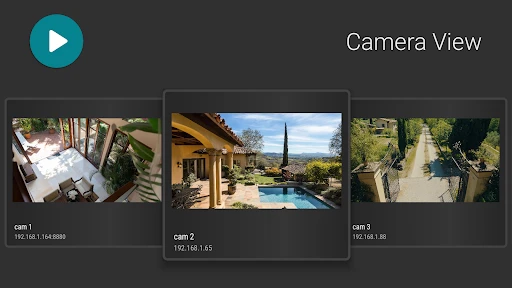
Now, I’ve tried my fair share of surveillance apps, and trust me, a cluttered interface is a dealbreaker. Thankfully, IP Camera Viewer keeps things simple and intuitive. The main screen lets you add and manage multiple camera feeds seamlessly. Whether you’re using a Wi-Fi camera or an older IP camera, integration is a cinch. Just enter your camera’s IP address, and voila, you’re connected!
Handy Tools for Better Monitoring
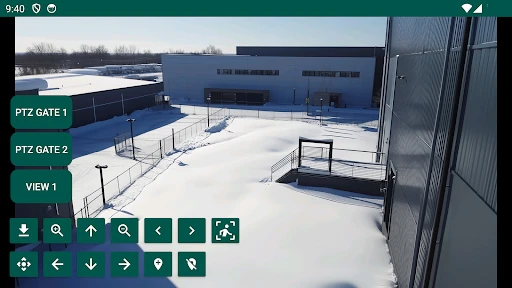
One of the standout features for me is the multi-view capability. It allows you to monitor up to four camera feeds simultaneously. Perfect for those of us who want to keep an eye on different areas of our home or office. And let’s not forget the zoom and pan options, which come in handy to get a closer look when something catches your eye.
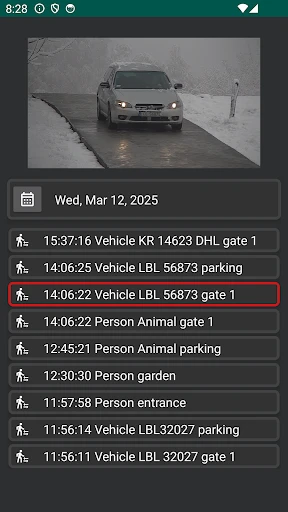
Another cool feature is the alert system. You can set up motion detection alerts, so you’re notified whenever there’s unexpected movement. It’s pretty reassuring to know that you’ll be the first to know if something’s amiss.
How Well Does It Really Work?
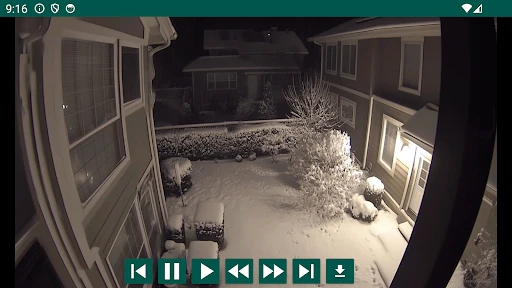
Performance-wise, IP Camera Viewer holds its own. The live stream quality is generally smooth, assuming you have a decent internet connection. I did notice a slight lag at times, but nothing too off-putting. The app also supports a wide range of camera brands, which is a huge plus if you have different models scattered around.
Is This App the One for You?
So, would I recommend IP Camera Viewer? Absolutely. It’s a solid choice for anyone looking to enhance their home security setup without splurging on expensive equipment. The ease of use combined with its robust features makes it a worthy addition to your app arsenal. Of course, as with any app, there’s room for improvement, like reducing the occasional lag. But all in all, it gets the job done efficiently.
In a world where safety is paramount, having an app like IP Camera Viewer in your pocket just makes sense. Give it a try, and you might just find that peace of mind you’ve been looking for.

- Developer
- kapron-ap
- Version
- 9.5.7
- Installs
- 1,000,000+
- Android Version
- 5.0
- Content Rating
- Everyone
- Price
- Free
- Easy remote access to cameras.
- Supports multiple camera brands.
- User-friendly interface.
- Real-time monitoring feature.
- Customizable viewing options.
- Limited free version features.
- Occasional connectivity issues.
- No cloud storage option.
- Requires stable internet connection.
- Ads in free version.