
Sweet Home 3D Mobile
So, I recently stumbled upon an intriguing app called Sweet Home 3D Mobile, and let me tell you, it’s been quite the fascinating journey. If you're someone like me who loves playing around with interior design or maybe just wants to visualize changes before making them, this app is worth exploring. Let's dive into the details, shall we?
So, I recently stumbled upon an intriguing app called Sweet Home 3D Mobile, and let me tell you, it’s been quite the fascinating journey. If you're someone like me who loves playing around with interior design or maybe just wants to visualize changes before making them, this app is worth exploring. Let's dive into the details, shall we?
Getting the App Up and Running
First off, downloading and installing the app was super simple! You can find Sweet Home 3D Mobile on both Android and iOS, and it doesn't hog a ton of storage space, which is always a nice bonus. When I opened it up for the first time, the layout was straightforward and easy to figure out without needing any instructions. Definitely a great start!
Cool Tools and Options
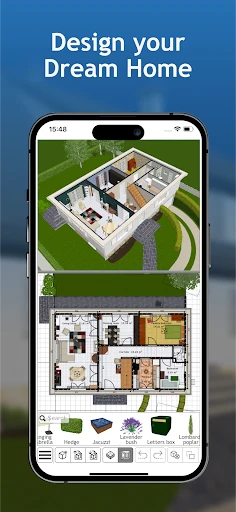
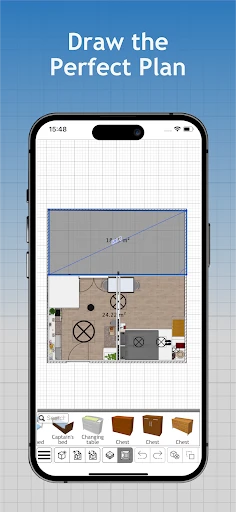
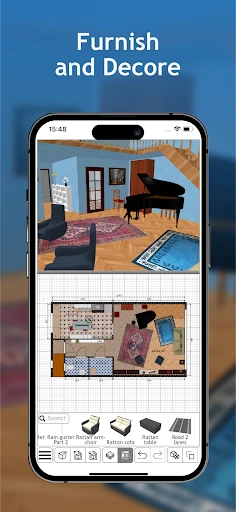
One feature that really stood out to me right away was the drag-and-drop tool. It's exactly what it sounds like—you just pick items from the library and place them right into your floor plan. And about that library—it's got a huge variety of furniture, lights, and other home items. No matter if your style is contemporary or more traditional, you'll find lots of options to play with.
Seeing Your Design in 3D
This is the really fun part: the 3D view. After you've laid out your room in the 2D plan, you can flip over to 3D mode to see your design come to life. It feels like you're actually walking through your soon-to-be new room or kitchen. I'll be honest, I probably spent way too much time flying around my virtual home, seeing how the sunlight looked in different spots and feeling pretty proud of my decorating choices.
How It Feels to Use the App
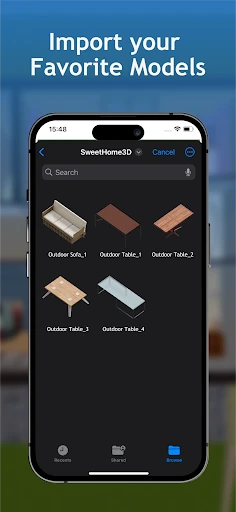
In terms of how the app performs, Sweet Home 3D Mobile runs really well. It doesn't freeze or stutter, the images are clear, and it responds nicely to your touches. On phones with smaller screens, some buttons and menus can feel a little tight, but it's not a major issue, just something to keep in mind. Another helpful feature is that you can bring in your own floor plans, which is perfect if you're working on a redesign instead of a brand-new project.
Reasons to Give This App a Try
Besides just being a blast to design your ideal home without spending any real money, Sweet Home 3D Mobile is also a super useful tool for anyone planning to redecorate or reorganize their space. It's like having a personal interior designer right on your phone. Whether you do this for a living or you just enjoy experimenting with different layouts, this app offers both fun and function for hours on end.
Wrapping Up My Experience
To sum it all up, Sweet Home 3D Mobile is an app that mixes practical tools with creative freedom. It's user-friendly, loaded with helpful features, and gives you an awesome way to picture your interior design ideas. So, if you're feeling inspired to show off your design skills, I'd totally recommend trying this app. You never know—you might end up creating something amazing!
- Developer
- Space Mushrooms
- Version
- 7.5.1
- Installs
- 5,000+
- Android Version
- 7.0
- Content Rating
- Everyone
- Price
- $5.49
- User-friendly interface for easy navigation
- Extensive furniture library for design flexibility
- Supports 2D and 3D viewing for better visualization
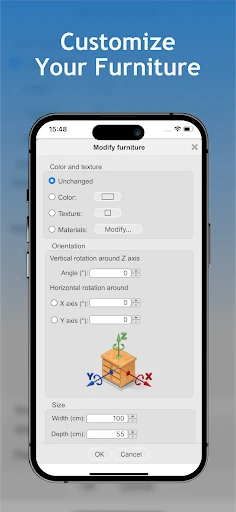
- Allows import of custom textures and models
- Regular updates with new features and fixes
- Requires significant storage space on device
- Occasional crashes on older devices
- Limited export options in free version
- In-app purchases can be expensive
- High learning curve for beginners