Wireless Reverse Charging
Welcome to the world of Wireless Reverse Charging
Welcome to the world of Wireless Reverse Charging
Have you ever been out and about, your phone is almost out of battery, and you can't find a charger anywhere? But then you notice your friend's phone is fully charged. This is where Wireless Reverse Charging comes in! Think of it like sharing a sip of your drink with a friend, but instead, you're sharing battery power.
So, What Exactly Is This Power Sharing?
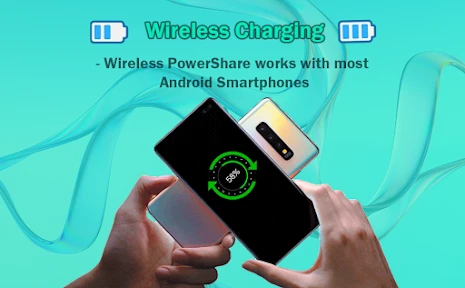
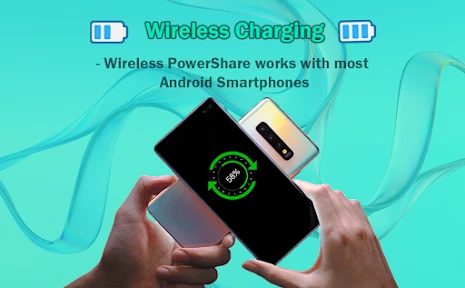
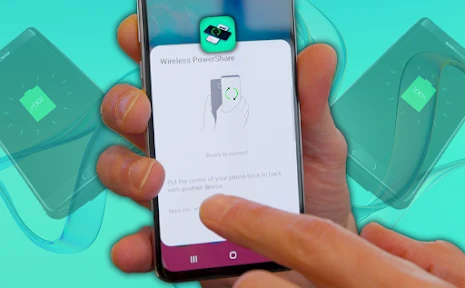
Picture your phone being more than just a phone; imagine it's also a mini, portable charger for your other gadgets. That's the magic of Wireless Reverse Charging. This cool feature transforms your smartphone into a power bank that works without any wires. Just place another device that can charge wirelessly on the back of your phone, and just like that, you're transferring power!
The Simple Tech Behind the Magic
Wireless Reverse Charging works on the same basic idea as regular wireless charging. It uses invisible electromagnetic fields to move energy from one device to another. For this to work, your phone needs the right internal hardware that can both send and receive power. A lot of newer phones have this capability, but it's always a good idea to double-check if yours does.
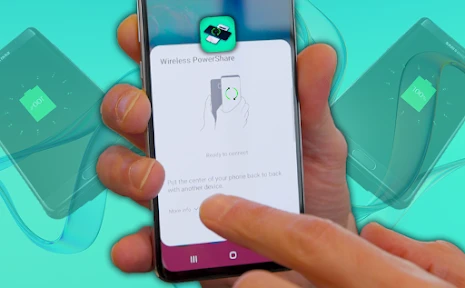
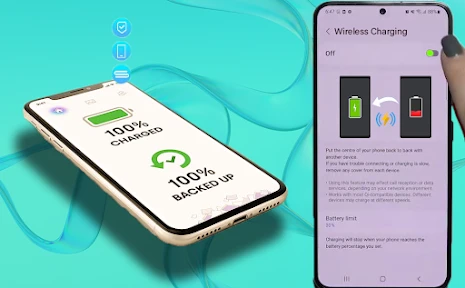
Using it is a breeze. Just switch on the reverse charging option in your phone's settings, make sure the other device is ready for wireless charging, line them up back-to-back, and you should see a charging symbol appear. It's really that easy!
Why This Feature is a Handy Tool to Have
There are so many times when Wireless Reverse Charging can get you out of a jam. Imagine you're on a long walk and your fitness tracker is about to give up. You can quickly give it a boost from your phone. Or perhaps you're at a gathering and a pal's phone is at 1%. No problem, you can lend them some power.
It's also super handy for powering up smaller items like wireless earbuds, smartwatches, or even another phone, all without dealing with a bunch of messy cables. It feels like a step into the future, where you might not need to carry so many cords and plugs with you.
A Few Things to Keep in Mind
As great as Wireless Reverse Charging is, it does have a few things to consider. For one, it will use up your phone's battery more quickly, so it's best used thoughtfully. It's also not the speediest way to charge a device, so don't expect a super-fast power-up. And placement is important! If the two devices aren't lined up correctly, the charging might not start, which can be annoying when you're short on time.
Also, remember that not every gadget can be charged wirelessly, so you need to make sure your devices are compatible. Finally, keep an eye on the temperature. Wireless charging can make devices a bit warm, which is something to be aware of if you're charging for a long time.
In the end, Wireless Reverse Charging is a clever and convenient feature that makes life a little easier. It’s not just about keeping your own devices alive, but also about helping others stay connected. So next time someone's device is about to die, you can be the one to save the day with your phone's power-sharing superpower
- Developer
- Masivapp
- Version
- 8.0
- Installs
- 100,000+
- Android Version
- 7.0
- Content Rating
- Everyone
- Price
- Free
- Easy to set up and use with various devices.
- No cables required for charging.
- Compatible with most modern smartphones.
- Supports simultaneous charging of multiple devices.
- Eco-friendly alternative to wired chargers.
- May cause device overheating during use.
- Charging speed is slower than wired options.
- Not compatible with older devices.
- High power consumption.
- Limited range for effective charging.