
Life360: Stay Connected & Safe
Life360: Your Family's Guardian Angel
Life360: Your Family's Guardian Angel
Hey there, tech enthusiasts! If you're like me and always looking for ways to stay connected with your loved ones, then you've probably heard of Life360. This nifty app promises to keep families linked through live location sharing, ensuring everyone knows where everyone else is, without the constant "Where are you now?" texts. I've taken a deep dive into its features, quirks, and everything in between, so buckle up and let's explore Life360 together!
Getting Your Family Circle Up and Running
First things first, installing Life360 is a breeze. Available on both Android and iOS, the app is free to download and easy to set up. Just create an account, set your profile, and invite your family members to join your circle. The interface is user-friendly, almost like it’s giving you a warm hug, saying, "Welcome to the family!" From there, you can start exploring the various features it has to offer.
The Handy Tools That Make Life Easier
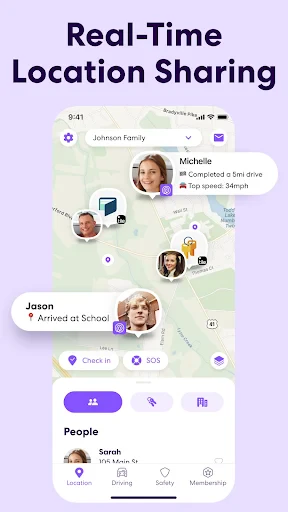
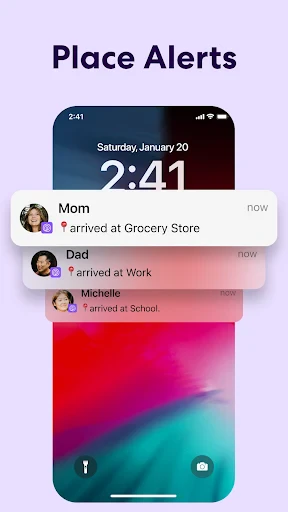
One of the standout features of Life360 is its real-time location sharing. Imagine being able to check in on your kids en route from school or seeing if your partner's stuck in traffic without bombarding them with calls. The app uses GPS technology to update locations seamlessly, and you can even set up geofencing alerts. So, if junior leaves the school premises, you get a notification faster than you can say "homework."
But wait, there's more! Life360 isn’t just about keeping tabs on where everyone is. Its driving safety features are a real game changer. You can receive alerts about driving habits, such as speed, phone usage, and even hard braking. It’s like having a co-pilot who doesn’t nag but still keeps everyone safe.
A Couple of Minor Hiccups to Know About
Like any app, Life360 isn’t without its hiccups. While the location accuracy is generally spot on, there are moments when it feels like the GPS is having a lazy day, showing slightly off locations. It’s rare but can be a tad frustrating if you’re relying on it for precise tracking.
Another point to consider is battery consumption. With continuous GPS usage, you might notice your phone’s battery draining faster than usual. A small price for peace of mind, perhaps?
The Final Verdict on Family Connectivity
All things considered, Life360 offers a comprehensive suite of features that can make family coordination a breeze. It’s like having a digital family bulletin board right in your pocket. Whether you’re a parent keeping tabs on your kids or just want to make sure everyone’s safe and sound, Life360 is a solid choice.
As someone who’s now used Life360, I can say it’s like inviting a digital guardian into your life, one that respects privacy while providing safety. So, if you're looking for an app that helps you stay connected and safe, give Life360 a whirl. You might just find it’s the family member you didn’t know you needed.
Happy connecting, and stay safe out there

- Developer
- Life360
- Version
- 25.20.0
- Installs
- 100,000,000+
- Android Version
- 10
- Content Rating
- Everyone
- Price
- Free
- Real-time location sharing for families.
- Battery-saving location updates.
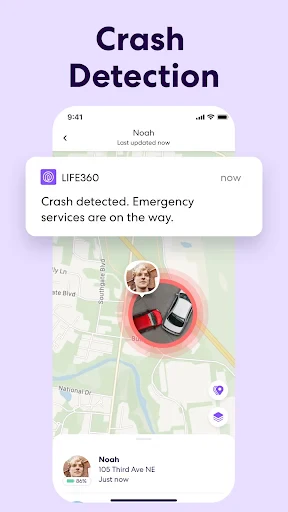
- SOS alert feature for emergencies.
- Driving reports for safe driving insights.
- Private chat for family communication.
- Requires constant internet connection.
- Subscription needed for premium features.
- Location accuracy can vary.
- Consumes battery with constant use.
- Privacy concerns with location sharing.