
Nintendo Switch Parental Cont…
Your Guide to the Nintendo Switch Parental Controls App
Your Guide to the Nintendo Switch Parental Controls App
Picture this: your kid is finally getting their hands on the coveted Nintendo Switch, and as a parent, you’re probably wondering how you can keep their gaming experience safe and balanced. The Nintendo Switch Parental Controls app is a handy tool that promises to give you peace of mind while your child embarks on their gaming adventures.
Getting the App Up and Running
Setting up the Nintendo Switch Parental Controls app is a breeze. You start by downloading it on your smartphone, and from there, link it to your child’s Nintendo Switch console. The process is straightforward, and within minutes, you’ll have access to a bunch of features designed to help you manage your child’s playtime and the games they can play.
Handy Features for Peace of Mind
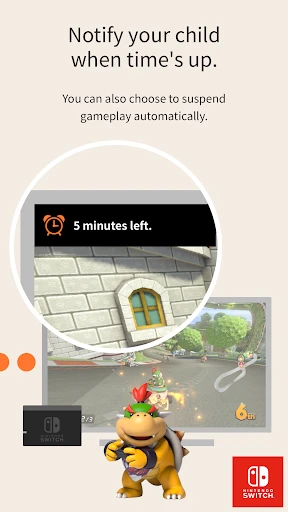
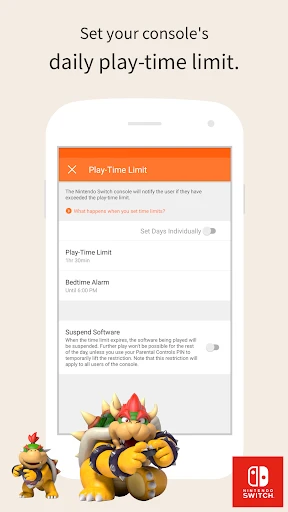
One of the most useful features is the ability to set daily play time limits. You decide how long your child can play, and when time's up, the console will remind them. It’s a gentle nudge to take a break and do something else, like homework. And let’s be honest, who doesn’t appreciate a little help with enforcing those boundaries?
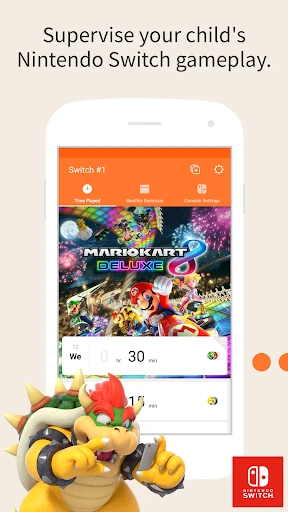
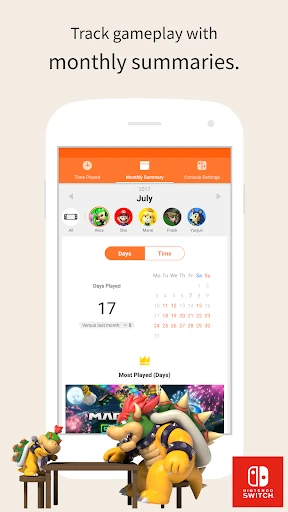
The app also lets you keep an eye on what games your child is playing. You’ll get reports on their gaming activity, so you're always in the know. This is great for parents who want to make sure the content is appropriate for their family.
Making the Controls Fit Your Family
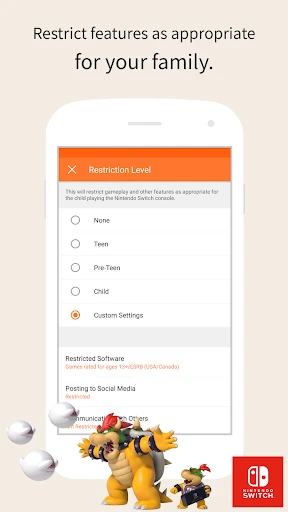
You can really customize the Nintendo Switch Parental Controls to fit your child’s age. Whether it’s blocking games based on their age ratings or turning off online chat, the app gives you a full set of tools to stay in charge.
Plus, the app lets you put the brakes on spending. We’ve all heard stories about kids making surprise in-game purchases. With this app, you can relax knowing that any spending will need your okay first.
Wrapping It Up
All in all, the Nintendo Switch Parental Controls app is a must-have for any parent with a young gamer. It’s easy to use, packed with important features, and most importantly, it gives you the confidence you need in today’s digital world. So, if you’re looking to create a healthy gaming balance for your child, this app is definitely worth a look. It’s like having a helpful digital helper that’s always on duty
- Developer
- Nintendo Co., Ltd.
- Version
- 1.23.0
- Installs
- 10,000,000+
- Android Version
- 8.0
- Content Rating
- Everyone
- Price
- Free
- User-friendly interface for parents
- Comprehensive control over game time
- Offers age-restriction settings
- Monitors play activity effectively
- Customizable notifications
- Limited to Nintendo Switch only
- Requires internet connection
- May slow down device performance
- Some features need manual setup
- Limited customization for alerts