OnStar Guardian: Safety App
Discovering OnStar Guardian: Your Personal Safety Companion
Discovering OnStar Guardian: Your Personal Safety Companion
Hey everyone, let's chat about an app that's all about your safety—OnStar Guardian. Think of it as a pocket-sized protector, ready to help whenever you're in a pinch. I’ll walk you through what this app is all about and help you decide if it’s right for your phone.
Getting to Know OnStar Guardian
First off, OnStar Guardian isn't your average safety app. It comes from General Motors, the same company known for in-car safety services. They've taken that know-how and made it mobile, so you can have a full-featured safety tool right on your phone. Whether you're out for a late walk or just want to feel more secure, this app keeps you connected and protected.
Standout Features You’ll Appreciate
OnStar Guardian comes loaded with features that really make it shine. Here are the ones that caught my eye:
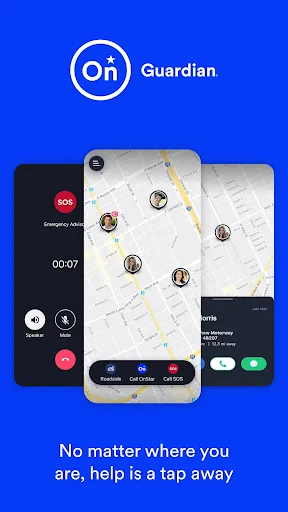
Mobile Crash Response: If you're in a car accident, the app can sense it and automatically notify emergency responders. It’s like having a backup plan that’s always active.
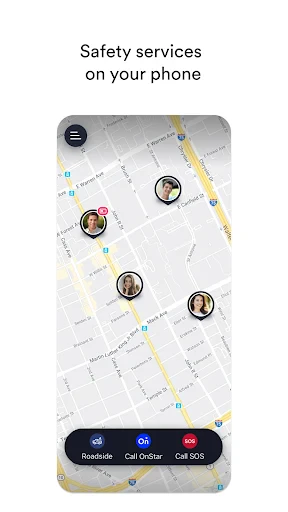
Roadside Assistance: Flat tire or empty tank? Just tap the app to get help anytime, day or night.
Location Sharing: Let family or friends see where you are in real time. Great for parents keeping tabs on their kids or anyone checking in during a late trip.
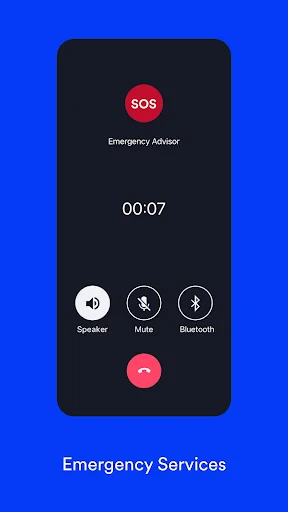
Emergency Calls: One tap connects you directly to emergency services. It’s reassuring to know help is that easy to reach.
My Hands-On Time with the App
Setting up OnStar Guardian was super simple. The app walked me through each step, from filling out my profile to adding emergency contacts. The layout is clean and easy to use, with big buttons and a simple menu—perfect for when you’re in a hurry or feeling stressed.
I was especially impressed with the Mobile Crash Response. Even in a test run, the app quickly sent a simulated alert to emergency services. That kind of speed and reliability makes it a top pick for anyone who drives often.
Is This App Right for You?
If you care about safety and want to protect yourself and those you love, OnStar Guardian is a smart choice. It’s ideal for parents, new drivers, or anyone who wants an extra sense of security on the go.
Performance-wise, the app runs smoothly and doesn’t drain your battery. Because let’s be honest—a safety app that kills your phone battery isn’t much help, right?
Wrapping It Up
All in all, OnStar Guardian feels like a personal safety net that’s always within reach. While there are plenty of safety apps available, this one stands out with its well-rounded features and dependable performance. It’s not just about handling emergencies—it’s about giving you peace of mind, knowing help is only a tap away.
So if you’re looking to add a reliable tool to your safety setup, give OnStar Guardian a look. It’s an app that really delivers on its promise to keep you safe, no matter where life takes you. Stay safe and tech-smart


- Developer
- OnStar, LLC
- Version
- 3.5.1
- Installs
- 1,000,000+
- Android Version
- 7.0
- Content Rating
- Everyone
- Price
- Free
- Easy-to-use interface
- Real-time location sharing
- 24/7 emergency support
- Family safety tracking
- Roadside assistance
- Requires subscription
- Limited to specific regions
- Battery draining
- Data privacy concerns
- Requires internet connection