GPS+ Maps, Navigation, Traffic
GPS+ Maps: Your New Best Friend on the Road
GPS+ Maps: Your New Best Friend on the Road
Ever found yourself lost in the winding streets of a new city, or stuck in a never-ending traffic jam? Well, say hello to GPS+ Maps, your new best friend on the road. This app isn't just another navigation tool; it's a complete package designed to make your travel smooth, efficient, and enjoyable. Let's dive into what makes GPS+ Maps a must-have for every traveler and commuter.
Effortless Guidance, No Matter Where You Are
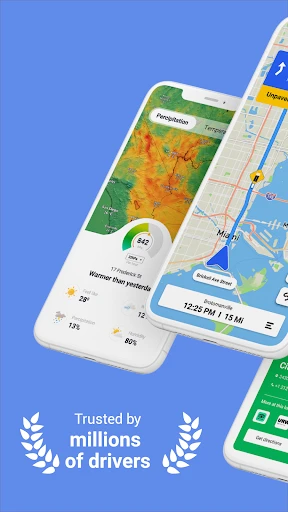
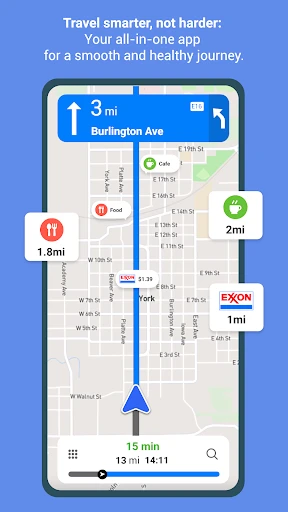
One of the standout features of GPS+ Maps is its intuitive navigation system. From the moment you fire up the app, you’re greeted with a clean, user-friendly interface that’s easy to understand, even for those who aren’t tech-savvy. The app offers real-time GPS navigation that guides you turn by turn, ensuring you never miss a beat. Whether you’re exploring a new city or just trying to find the quickest route home, GPS+ Maps has got your back.
Live Traffic Alerts to Beat the Jam
We’ve all been there – stuck in traffic, watching the minutes tick by, and wondering why we didn’t take that other route. With GPS+ Maps, those days are over. The app provides real-time traffic updates, alerting you of any congestion, accidents, or road closures ahead. It automatically recalculates your route, offering alternative paths to get you to your destination faster. It’s like having a personal traffic assistant in your pocket!
Go Offline and Explore Without Limits
One of the features I absolutely love is the offline maps option. For those of us who love to go off the grid, whether it’s hiking in the mountains or exploring remote villages, GPS+ Maps ensures you’re never truly lost. Simply download the maps you need ahead of time, and navigate without any internet connection. It’s peace of mind for the adventurous soul.
Discover Everything Around You
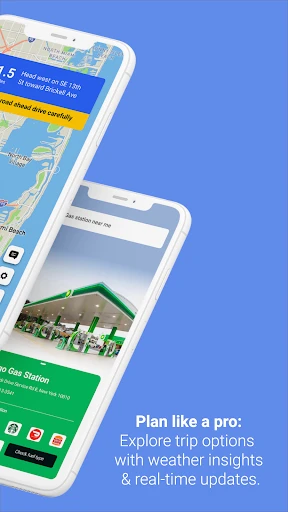
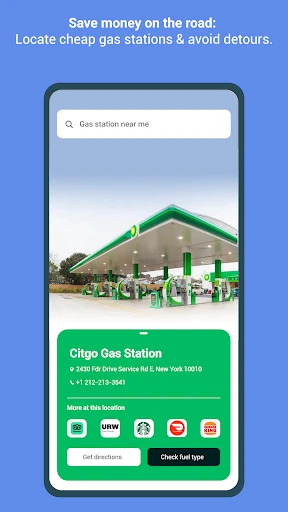
Looking for a gas station, a restaurant, or maybe a hotel nearby? GPS+ Maps has you covered with a comprehensive list of points of interest. The app not only shows you where these spots are but also provides additional information like opening hours, contact details, and user reviews. It’s like having a local guide at your fingertips!
An App That Gets to Know You
One of the things that really sets GPS+ Maps apart is its ability to personalize your experience. The app learns from your habits and preferences, suggesting routes and locations that suit your style. You can save your favorite places, set up custom routes, and even choose different map views. It feels like the app is tailor-made just for you.
In conclusion, GPS+ Maps offers a robust set of features that cater to both everyday commuters and adventurous travelers. Its seamless navigation, real-time updates, and offline capabilities make it a top choice for anyone looking to enhance their travel experience. So next time you hit the road, make sure GPS+ Maps is your co-pilot. Safe travels
- Developer
- JVSTUDIOS
- Version
- 3.63
- Installs
- 10,000,000+
- Android Version
- 7.0
- Content Rating
- Everyone
- Price
- Free
- Accurate real-time traffic updates.
- Easy offline map access.
- User-friendly interface.
- Customizable route options.
- Integrated with public transit info.
- Occasional GPS signal loss.
- High battery consumption.
- Frequent ad interruptions.
- Limited free features.
- Some maps outdated.