Photoshop Express Photo Editor
My Hands-On Experience with Photoshop Express Photo Editor
My Hands-On Experience with Photoshop Express Photo Editor
When it comes to mobile photo editing, Photoshop Express Photo Editor is a name that often pops up. As someone who loves snapping photos on my phone and giving them a quick touch-up before sharing, I was keen to dive into what this app has to offer. Let me take you through my experience with it!
A Look That's Clean and Easy to Use
Upon launching the app, you're greeted with a clean and intuitive interface. It's straightforward enough for beginners, yet packed with features that will keep even seasoned photo editors engaged. Navigating through the app is a breeze, thanks to its simple layout and easy-to-understand icons. You won't find yourself lost in a sea of options, which is a relief for people who just want to get things done.
The Toolkit for Your Pictures
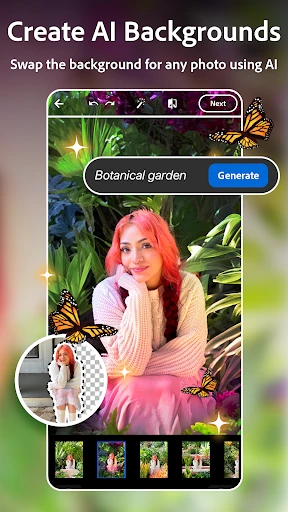
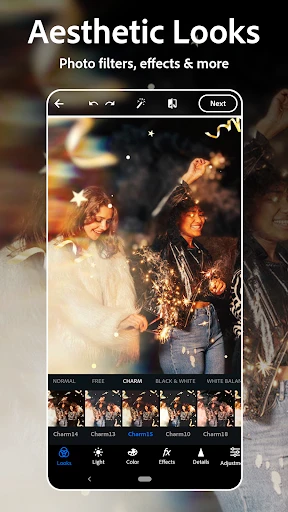
Photoshop Express doesn’t skimp on the essentials. You've got all your basic tools like cropping, straightening, rotating, and flipping in a neat little package. But where it really shines is in its range of filters and effects. Whether you're looking to enhance colors or add some drama with a vignette, there’s something for everyone.
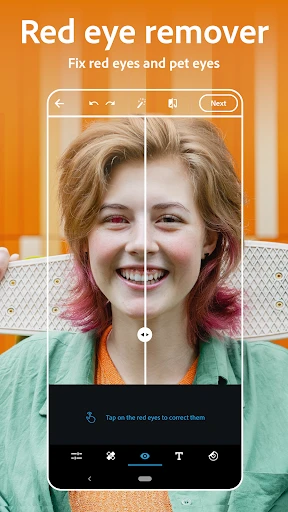
One of my favorite features is the blemish removal tool. It’s incredibly effective for those quick touch-ups. Just a few taps and you’re good to go. The app also offers an auto-fix option, which adjusts brightness, exposure, and shadows with one tap. It’s perfect for those times when you want to do away with the nitty-gritty details and let the app work its magic.
Building Collages and More
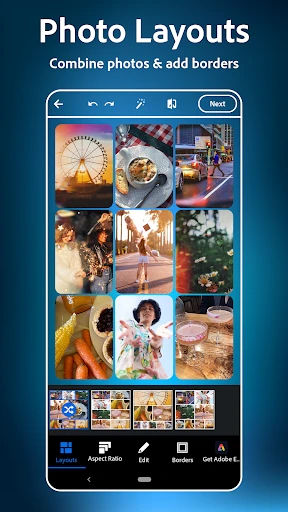
If you're into creating collages, Photoshop Express has you covered. The app provides a variety of collage templates that make it easy to combine your favorite photos into a single frame. Plus, you can tweak the borders and colors to match your style, which adds a personal touch to your creations.
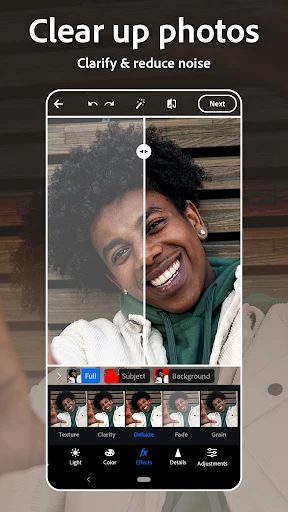
Beyond simple edits, the app offers advanced features like noise reduction and defog, which can significantly improve the quality of your photos, especially those taken in less-than-ideal conditions. I found these tools particularly useful for night shots and foggy landscapes.
Getting Your Photos Out There
Once you’re satisfied with your edits, sharing your photos is a cinch. The app allows you to post directly to social media platforms like Instagram and Facebook, or save them to your device. The export quality is impressive, ensuring that your images look just as vibrant and sharp as they do in the app.
However, it's worth noting that some features require an Adobe ID login, which might be a slight hassle if you're looking for a completely hassle-free experience. But given the range of functionalities available, it's a small price to pay.
In conclusion, Photoshop Express Photo Editor is a fantastic tool for both amateur and professional photographers looking to edit on the go. It combines ease of use with powerful features, making it a must-have app for anyone serious about mobile photography. So, if you're looking to elevate your photo game, give it a shot!
- Developer
- Adobe
- Version
- 17.7.8
- Installs
- 100,000,000+
- Android Version
- Varies With Device
- Content Rating
- Everyone
- Price
- Free
- User-friendly interface for quick edits
- Wide range of filters and effects
- Supports RAW photo editing
- Integration with Adobe Creative Cloud
- Fast performance on most devices
- Limited features in free version
- Requires Adobe account for full access
- High-quality exports need subscription
- Occasional lag on older devices
- In-app purchases can be expensive