Cut and Paste Photos
Cut and Paste Photos: Your Pocket-Sized Photo Editor
Cut and Paste Photos: Your Pocket-Sized Photo Editor
Have you ever found yourself in a situation where you wished you could easily swap backgrounds or stitch together different elements from multiple photos? Well, I stumbled upon a nifty app called Cut and Paste Photos that does just that, and I’m here to spill all the juicy details.
What's All the Excitement For?
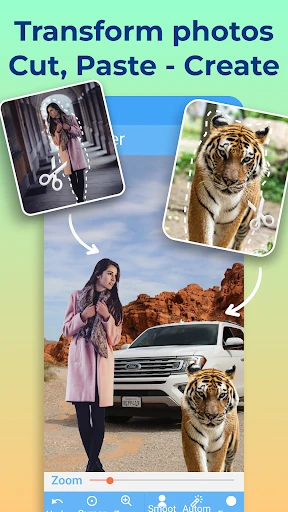
Let me tell you, Cut and Paste Photos is like having a mini Photoshop in your pocket. This app allows you to cut out any part of a picture with just a few taps. Whether you want to place your friend’s face on a celebrity’s body or just need to remove a pesky photobomber, this app has got you covered. It's available for both Android and iOS, so no one misses out on the fun!
Noteworthy Tools and Functions
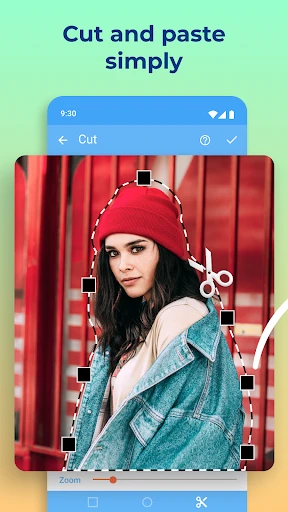
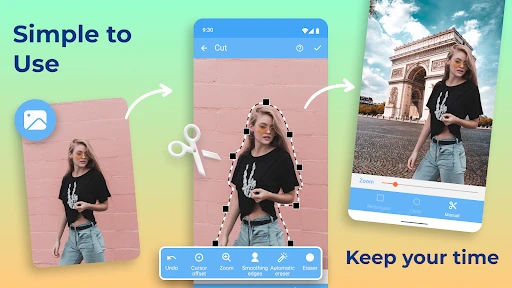
The app’s simplicity is its biggest strength. You don’t have to be a tech wizard to navigate through it. With a user-friendly interface, it’s super easy to select the area you want to cut and paste it onto another image. The automatic edge detection is surprisingly accurate, saving you the hassle of manually tracing the object.
Another cool feature is the background eraser. Sometimes, you just want to make that object pop against a plain backdrop, and this tool does the job perfectly. Plus, you can adjust brightness, contrast, and saturation to make your photos look just right.
Reasons This App is a Keeper
One of the things I love is how it’s not just for fun edits. You can use it for professional-looking projects too. Want to create a birthday card or a social media post that stands out? Just blend some elements together, and voila! You have a masterpiece ready to go.
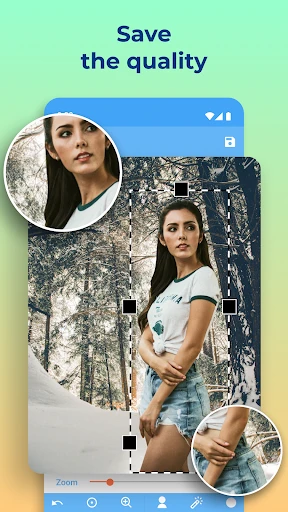
The app also supports high-resolution images, which is a big plus if you’re planning to print your works of art. And let’s not forget about the in-app tutorials that guide you through creating your first cut-and-paste project.
Any Downsides to Consider?
Of course, no app is without its flaws. While the basic version does a great job, the free version comes with ads that can be a bit intrusive. If you’re someone like me who gets easily annoyed by pop-ups, you might want to consider upgrading to the premium version. It’s ad-free and unlocks additional features that are worth exploring.
Wrapping It All Up
In a nutshell, Cut and Paste Photos is a versatile app that’s perfect for both casual users and budding designers. Its ease of use and impressive array of features make it a must-have on your smartphone. So, next time you’re looking to jazz up your photos, give this app a whirl. Trust me, it’s a game-changer!
Whether you’re an aspiring designer or just someone who loves playing around with photos, Cut and Paste Photos offers endless possibilities. So go ahead, unleash your creativity, and transform your photo gallery into a digital playground.

- Developer
- ZipoApps
- Version
- 2.6.5
- Installs
- 10,000,000+
- Android Version
- 5.0
- Content Rating
- Everyone
- Price
- Free
- Easy to use interface for quick edits.
- Supports multiple photo formats.
- Fast processing and exporting of images.
- Includes fun stickers and text options.
- Allows precise photo cutouts.
- Contains ads that may disrupt workflow.
- Limited free features available.
- Occasional app crashes reported.
- Requires in-app purchases for premium features.
- Some tools need improvement in accuracy.