AI Photo Editor - PhotoArt
AI Photo Editor - PhotoArt
AI Photo Editor - PhotoArt
AI Photo Editor - PhotoArt is a creative app that uses artificial intelligence to turn your regular pictures into amazing pieces of art. It comes with a bunch of different filters and tools designed to improve your photos and help you discover your inner artist. Let's take a closer look at what sets this app apart and if it really delivers on its promises.
Initial User Experience
When I first opened up AI Photo Editor - PhotoArt, I found a clean and straightforward layout. The design is simple to understand, so even if you're new to photo editing, you won't get lost. A nice bonus is that you can get it for both Android and iOS phones. Right at the start, the app gives you a quick walkthrough so you can learn the basics without any confusion.
A Look at the Tools
A really strong point for this app is its huge selection of filters. These aren't your average filters; they're powered by AI, which means they smartly adjust to fit the specific details of each photo. No matter if you want an old-school look or something bright and colorful, there's a filter for you. I had a lot of fun testing the artistic filters that can make a normal selfie look like a painting in a famous style.
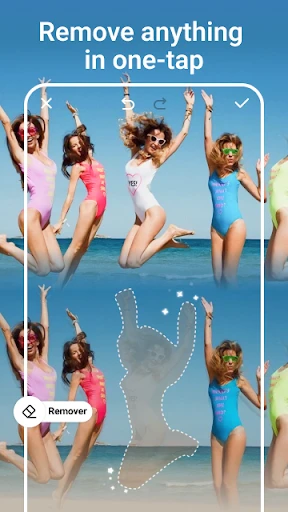
Beyond filters, the app also includes more detailed editing tools. You can manually change the light, contrast, and color intensity, giving you complete control. There's also a useful feature for cleaning up spots or removing things from the background, and the AI is pretty good at knowing what to keep and what to erase.
How Well It Works
In terms of performance, AI Photo Editor - PhotoArt works well on most devices. I tried it on a mid-level phone, and it edited pictures smoothly without any delays. The editing process was fast, and getting the final picture didn't take long, which is great when you need to edit something quickly while you're out.
You can save your edited photos in high quality, which is ideal for printing or posting online. It also has a built-in share button, letting you post your work directly to apps like Instagram or Facebook with a single tap.
Where It Could Be Better
Even though AI Photo Editor - PhotoArt has a lot to offer, there are a couple of downsides. The free version is pretty restricted, and to get all the best features, you need to pay for a premium subscription. The subscription fee isn't too high, but it might not be worth it for someone who just edits photos occasionally for fun.
Another small issue is the ads that pop up sometimes, which can break your concentration while you're editing. That said, this is pretty common for free apps, and the ads aren't too overwhelming.
Overall Conclusion
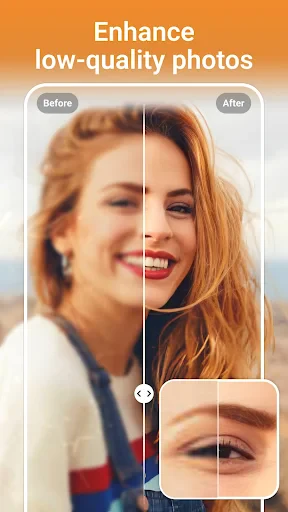
All in all, AI Photo Editor - PhotoArt is a great app for easily making your photos look better. Its AI-driven tools simplify the editing process, and you often end up with really nice results. Whether you take photos for a living or just enjoy snapping pictures, this app has something you'll like.
If you don't mind paying for the premium version, the extra tools and the removal of ads make it a good deal. AI Photo Editor - PhotoArt isn't just for editing; it's a creative space that pushes you to experiment and expand your artistic skills. Try it out—you might just find a new hobby.


- Developer
- Magic Photo Collage & Photo Editor - CollageArt
- Version
- 1.6.77
- Installs
- 500,000+
- Android Version
- 7.0
- Content Rating
- Everyone
- Price
- Free
- User-friendly interface
- High-quality editing tools
- Wide range of filters
- Fast processing speed
- Supports multiple formats
- Requires internet connection
- Subscription-based premium features
- Occasional ads
- Large file size
- Limited free version features