Microsoft PowerPoint
Unleashing Creativity with PowerPoint
Unleashing Creativity with PowerPoint
In the ever-changing world of presentation software, Microsoft PowerPoint remains a top choice, mixing trusted features with new innovations. No matter if you're a student, a businessperson, or someone making a personal slideshow, PowerPoint has the tools you need to succeed.
What Makes PowerPoint So Great
Let's explore why PowerPoint is such a popular tool. To start, its easy-to-use layout is a huge advantage. I recall my first time opening the program; it felt like I was given a blank slate with every tool I could want right at my fingertips. The straightforward design means that even newcomers can put together great-looking slides quickly. With a huge selection of ready-made templates, you can kickstart your project and tailor it to your personal taste.
Powerful Features You'll Love
One feature I absolutely love is the range of animation options. From simple dissolves to exciting movements, PowerPoint's animations can bring a touch of polish and excitement to your work. Also, the ways you can move from one slide to the next are incredibly smooth. This helps your presentation maintain a nice rhythm, holding your audience's attention throughout.
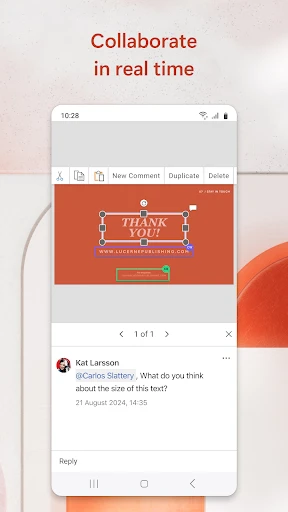
Another fantastic feature is the ability to work with others. With so many people working remotely, collaborating on a presentation from different places is essential. Because PowerPoint works with OneDrive and SharePoint, you can share your file and edit it simultaneously with your team. I've used this many times, and it completely eliminates the frustration of emailing different versions back and forth.
Effortless Design Tools
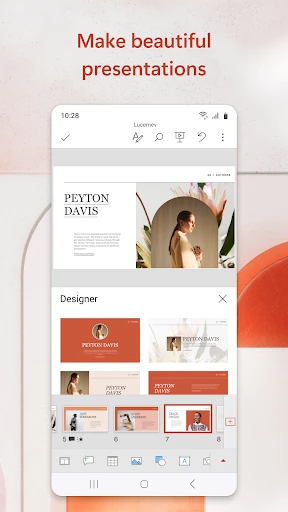
Good design is more than just decoration; it's about building a visual narrative that grabs people. PowerPoint is fantastic for this, especially with its Design Ideas tool. If you ever find yourself stuck with an empty slide, this smart feature will propose different layouts to get you started. It's almost like having your own personal designer by your side.
The option to include multimedia, such as video and sound, is another major plus. I once made a conference presentation where adding a brief video clip completely transformed my talk, making it much more powerful and memorable.
Keeping Up with a Mobile World
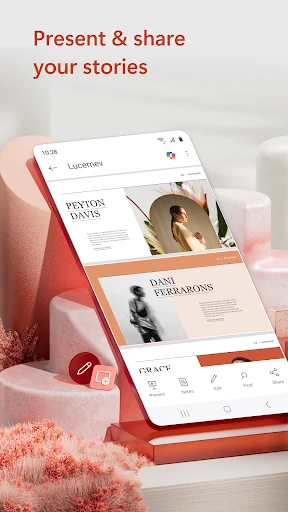
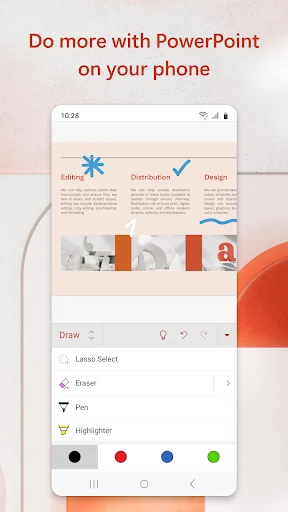
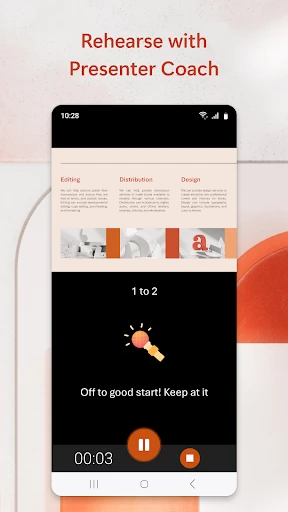
In today's world of phones and tablets, PowerPoint has kept up perfectly with its mobile app. Whether you use an Android or an iPhone, you can make changes to your presentations from anywhere. I've lost count of how many times the mobile app has saved me when I needed to make a quick edit right before a meeting. It's an absolute essential!
Wrapping It Up
In conclusion, Microsoft PowerPoint is much more than a simple slideshow maker. It's a creative space that gives you the power to share your thoughts clearly. With its powerful features, simple interface, and ability to work with modern technology, it's easy to see why people everywhere still prefer it. Whether your project is basic or complicated, PowerPoint gives you everything you need to make it stand out. So why not open it up and let your imagination run free
- Developer
- Microsoft Corporation
- Version
- Varies With Device
- Installs
- 1,000,000,000+
- Android Version
- Varies With Device
- Content Rating
- Everyone
- Price
- Free
- User-friendly interface for creating presentations
- Wide range of templates and themes
- Seamless integration with other Microsoft apps
- Powerful collaboration and sharing features
- Available on multiple platforms
- Requires a Microsoft 365 subscription for full features
- Can be resource-intensive on older devices
- Limited offline functionality
- Some advanced features have a steep learning curve
- Occasional compatibility issues with non-Microsoft formats