Smart Remote Control For TV
Your New TV Remote Is Hiding in Your Phone
Your New TV Remote Is Hiding in Your Phone
Have you ever found yourself diving into the abyss between your couch cushions, desperately searching for that elusive TV remote? Well, I certainly have, and let me tell you, it’s not a pretty sight. So, when I stumbled upon the Smart Remote Control For TV app, I was intrigued. Could this app really replace the traditional remote and save me from the chaos of remote-seeking missions? Let’s dive into this tech-savvy solution and see what it’s all about.
Getting Started is a Breeze
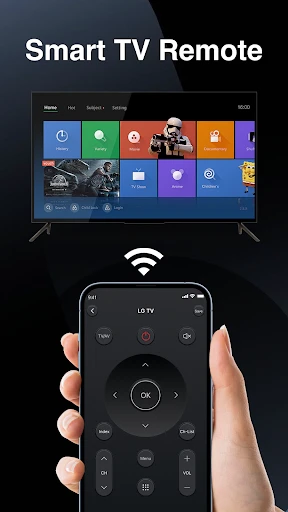
Getting started with the Smart Remote Control For TV app was surprisingly straightforward. After downloading it from the app store, I was greeted with a user-friendly interface that guided me through the setup process. No rocket science degree required here! The app seamlessly connected to my smart TV over Wi-Fi, and within minutes, I was flipping through channels and adjusting the volume without even moving from my spot on the couch. Talk about convenience!
A Look at the Layout and Controls
The app’s interface is as smooth as butter. I mean, who doesn’t love a clean, intuitive design? The layout is simple yet effective, with all the buttons you’d expect to find on a traditional remote, plus a few extras. I particularly loved the touchpad feature, which allowed me to navigate the TV menu with a swipe of my finger. It’s like having a mini trackpad right on my phone!
Another nifty feature is the voice command option. Feeling too lazy to even tap your phone? Just speak up, and the app does the rest. It’s like having your own personal assistant, minus the hefty price tag.
Will It Work With Your Television?
Now, while the app worked like a charm with my smart TV, I did encounter a few hiccups when trying to connect it with an older model in the guest room. It seems the app is primarily designed for newer smart TVs, so if you’re rocking an older set, you might need to stick to the traditional remote for a while longer. But hey, if you’re in the market for a new TV, this app could be the perfect partner in crime.
What It Does to Your Phone's Power
One of my initial concerns was whether using my phone as a remote would drain its battery life faster than my dog devours his treats. Thankfully, the app is pretty efficient and doesn’t seem to guzzle battery life excessively. Of course, if you’re planning a Netflix marathon, it might be wise to keep a charger handy, just in case.
And there you have it! The Smart Remote Control For TV app is a game-changer for those of us who are perpetually losing our remotes or just want a more streamlined way to control our TVs. While it may not replace the traditional remote entirely, especially for older TV models, it’s a fantastic tool for modern smart TVs. So, if you’re ready to step into the future of TV control, give this app a whirl. It might just become your new favorite companion on movie nights.
- Developer
- BoomX Studio
- Version
- 1.3.0
- Installs
- 1,000,000+
- Android Version
- 10
- Content Rating
- Everyone
- Price
- Free
- Easy setup process for quick use
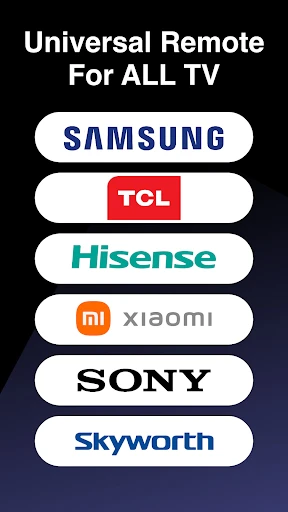
- Compatible with multiple TV brands
- User-friendly interface
- Customizable remote layout
- Supports voice commands for convenience
- Contains ads that can be intrusive
- Requires in-app purchases for full features
- Limited support for older TV models
- Occasional connectivity issues
- Consumes battery quickly on frequent use