Amazon Kindle
Your Pocket Library: Exploring the Amazon Kindle App
Your Pocket Library: Exploring the Amazon Kindle App
Amazon Kindle is a versatile e-reader app that brings the joy of reading to your fingertips, wherever you are. It’s a must-have for book lovers who crave the convenience of having a library in their pocket. The app is available for both Android and iOS, making it accessible to a wide audience. So, let’s dive into what makes the Amazon Kindle app a great companion for readers.
Features that Stand Out
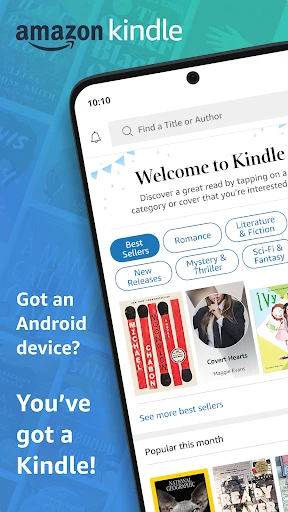
One of the first things you’ll notice about the Kindle app is its clean and user-friendly interface. It’s designed to make reading a seamless experience. You can easily browse through your library, search for new books, and customize your reading preferences. The app supports a variety of formats, including Kindle books, newspapers, magazines, PDFs, and more, which means you’re not limited to just one type of reading material.
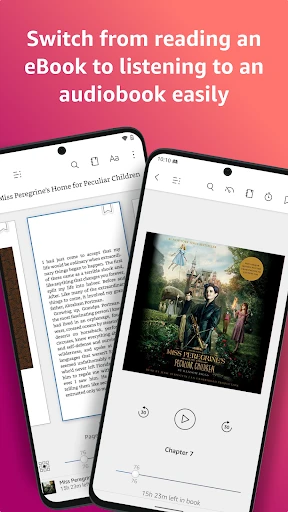
Whispersync is a standout feature that syncs your last read page, bookmarks, and annotations across all your devices. So, whether you’re reading on your phone during your commute or on a tablet at home, you can pick up right where you left off. It’s a lifesaver for those of us who are always on the go and need to switch between devices.
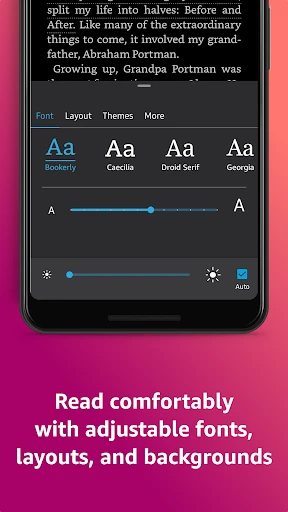
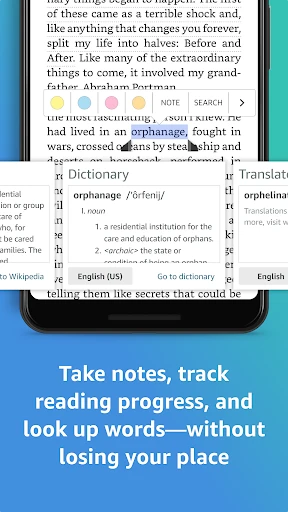
Another feature worth mentioning is the customizable reading experience. You can adjust the font size, background color, and brightness to suit your preferences, which is great for late-night reading without straining your eyes. Plus, the built-in dictionary and Wikipedia integration make it easy to look up definitions and additional information without leaving the app.
Why I Love Using Kindle
Personally, I love the Kindle app because it offers access to an extensive library of books. With Kindle Unlimited, you can explore a wide range of genres and discover new authors without breaking the bank. It’s like Netflix for books! And if you’re an Amazon Prime member, you get the added perk of accessing a rotating selection of books at no extra cost.
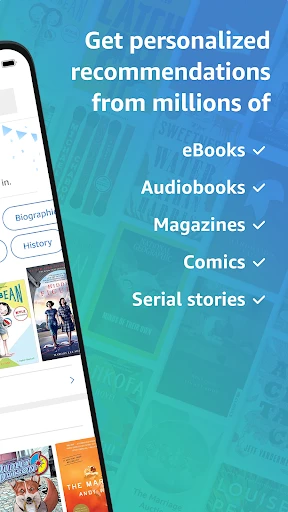
Another reason I’m a fan is the ease of purchasing and downloading books. With just a few taps, you can buy a book and start reading right away. The app also provides personalized recommendations based on your reading habits, which is a nice touch for finding your next great read.
Room for Improvement
While the Kindle app is fantastic, it’s not without its quirks. Occasionally, I’ve noticed some lag when loading large PDFs or magazines, which can be a bit frustrating. Additionally, the app doesn’t support all e-book formats, so you might need to convert some files before adding them to your library.
Another area where the app could improve is in the social sharing features. While you can share quotes and passages, it’s not as seamless as it could be. A more integrated social experience would be a great addition for those of us who love discussing books with friends and fellow readers.
Overall, the Amazon Kindle app is a fantastic tool for anyone who loves to read. Its extensive library, customizable features, and seamless syncing make it a top choice for e-book enthusiasts. While there’s room for improvement, the app’s benefits far outweigh its drawbacks. Whether you’re a casual reader or a bookworm, Kindle is definitely worth checking out.
- Developer
- Amazon Mobile LLC
- Version
- Varies With Device
- Installs
- 100,000,000+
- Android Version
- Varies With Device
- Content Rating
- Teen
- Price
- Free
- Extensive eBook library availability.
- Seamless sync across devices.
- Customizable reading settings.
- Offline reading capability.
- Built-in dictionary and translation.
- Limited format support for non-Kindle books.
- Ads in free version.
- Some titles more expensive than print.
- No support for third-party apps.
- Requires Amazon account for use.