Microsoft SwiftKey AI Keyboard
Microsoft SwiftKey AI Keyboard: Your New Smart Typing Buddy
Microsoft SwiftKey AI Keyboard: Your New Smart Typing Buddy
Hey there, fellow keyboard warriors! Today, I’m diving into the world of virtual keyboards with a look at Microsoft SwiftKey AI Keyboard. If you're tired of your default keyboard and are in search of something smarter, read on, because SwiftKey might just be the upgrade you need.
Getting Your New Keyboard Ready
First things first, downloading and setting up SwiftKey is a breeze. Available on both Android and iOS, you'll find it in your respective app stores. Installation is pretty straightforward, and once it's up and running, SwiftKey greets you with a friendly tutorial. This walks you through all the cool features it has to offer, so you’re not left in the dark wondering how to unleash its full potential.
Making It Look Like You
One of the standout features of SwiftKey is its customization options. You can change the keyboard’s theme to match your mood or phone’s aesthetic. Fancy a minimalist look? They've got it. Want something vibrant? No problem. SwiftKey offers a plethora of themes, some free and others for a small fee. Plus, you can even create your own theme if you’re feeling particularly creative!
The Joy of Typing
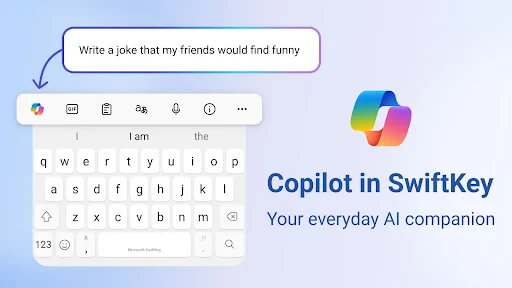
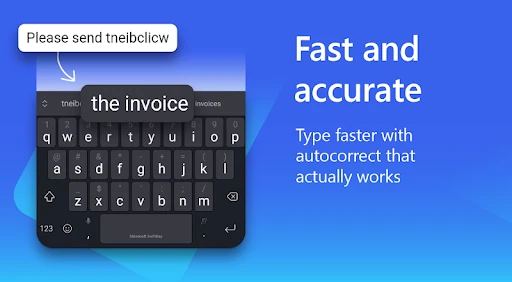
Now, onto the typing experience. SwiftKey's AI-powered predictive text is where the magic happens. It learns your writing style, adapting to your slang, nicknames, and even emoji preferences. Over time, it becomes eerily accurate, making typing a whole lot faster and more intuitive. It's like having a little assistant that knows exactly what you want to say, sometimes even before you do!
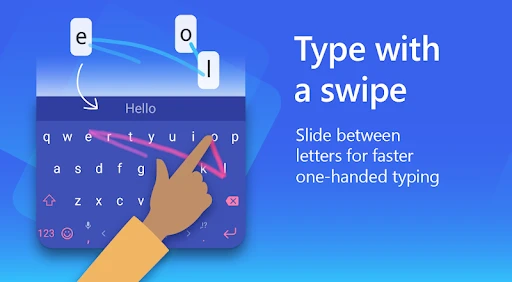
Another cool feature is the swipe-to-type functionality. If you haven’t tried it yet, you’re in for a treat. Just glide your fingers across the letters, and watch as SwiftKey predicts the word you’re trying to type. It’s fast, fun, and a great alternative to tapping each key.
Typing in Any Language
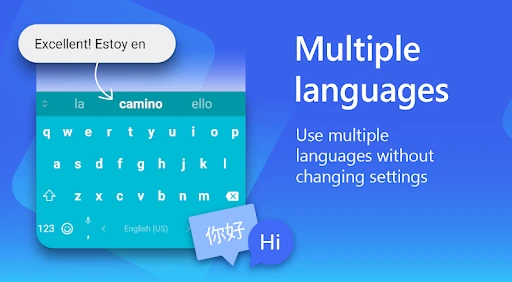
If you're bilingual or even trilingual, SwiftKey has got your back. It supports multiple languages simultaneously, allowing you to switch between them with ease. No more manually changing settings every time you switch from texting your friend in Spanish to emailing your colleague in English. SwiftKey handles it all seamlessly.
Keeping Your Info Safe
With all this AI learning from your typing habits, you might wonder about privacy. Fret not, SwiftKey takes this seriously. It doesn’t learn from sensitive fields like passwords or credit card numbers. Plus, your personalized data is stored locally on your device, not on the cloud, which adds an extra layer of security.
Microsoft’s reputation in technology also adds a layer of trust that your data is in safe hands. So, you can type away without worrying about your information being misused.
Wrapping It Up
In conclusion, Microsoft SwiftKey AI Keyboard is more than just a keyboard; it's a smart typing assistant that adapts to you. Whether you’re looking for customization, speed, multilingual support, or just a better typing experience, SwiftKey delivers on all fronts. So, if you're ready to enhance your typing game, give SwiftKey a spin. It might just become your new favorite app on your smartphone.

- Developer
- SwiftKey
- Version
- 9.10.59.20
- Installs
- 1,000,000,000+
- Android Version
- 7.0
- Content Rating
- Everyone
- Price
- Free
- Highly customizable keyboard layout.
- Supports multiple languages seamlessly.
- Built-in AI for predictive text.
- Smooth and responsive touch interface.
- Regular updates with new features.
- Can drain battery quickly.
- Occasional lag on older devices.
- Requires internet for some features.
- Limited theme options in free version.
- May collect user typing data.