Amazon Seller
Your Perfect Companion for Selling on Amazon
Your Perfect Companion for Selling on Amazon
Let's dive into the world of the Amazon Seller app, a tool that aims to be your best friend if you're getting into online selling. It helps you manage your stock and keep track of your orders, claiming to do it all. But does it really deliver on that promise? Let's take a closer look.
Getting Your Business Up and Running
First things first, getting the Amazon Seller app set up is super simple. Just download it, log in with your Amazon details, and you're ready to start. I was really impressed with how easy it is to find your way around. Even if you're not great with technology, you won't get lost. The setup process gives you clear steps, making it a snap to begin listing your products for sale.
Handy Tools You'll Love
A feature I thought was a total lifesaver is the barcode scanner. You can just scan a product's code to add it to your inventory right away. This saves you loads of time, particularly if you have a ton of items to list. Plus, the app sends you instant alerts about new orders, so you always know what's going on with your store.
Another tool that's really helpful is for setting prices. The app lets you change your prices to match what's happening in the market, helping your products stay competitive. This is especially useful if you're selling in a fast-changing market where prices go up and down all the time.
Running Your Shop From Anywhere
The real magic of the Amazon Seller app is that it lets you handle your entire business from your phone. This means you can be at home, commuting, or relaxing in a coffee shop, and your business is always right there in your pocket. The app works with different languages and types of money, which is great for sellers all over the world.
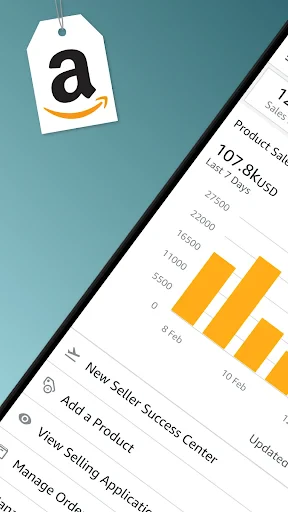
The feature for talking to customers is another big plus. You can quickly answer buyer questions, which is super important for keeping your seller ratings high. The app also gives you a look at how your sales are doing and what customers are saying, so you can make smart choices to help your business grow.
Wrapping It All Up
To sum it up, the Amazon Seller app is a powerful tool for anyone who wants to sell on Amazon. It's easy to use and comes packed with features that make running an online store simpler and more effective. While it might not do every single thing the full desktop website can, it's a fantastic partner for managing things when you're out and about.
No matter if you've been selling for years or are just opening your first virtual store, this app has something to offer. It's obvious that Amazon has worked hard to create an all-in-one tool for sellers. So, if you want to make your selling process smoother, this app is certainly worth checking out. Happy selling


- Developer
- Amazon Mobile LLC
- Version
- 9.4.0
- Installs
- 10,000,000+
- Android Version
- 6.0
- Content Rating
- Everyone
- Price
- Free
- Easy inventory management
- Efficient sales tracking
- User-friendly interface
- Useful for small businesses
- Effective customer communication
- Limited customization options
- Occasional app crashes
- Requires stable internet
- Limited support for new users
- Fees can be high