

AR Draw Sketch & Paint
Unleash Your Inner Artist with AR Draw Sketch & Paint
Unleash Your Inner Artist with AR Draw Sketch & Paint
If you’ve ever wanted to unleash your inner artist but felt limited by traditional pencils and paper, then AR Draw Sketch & Paint might just be the app you’ve been waiting for. I took it for a spin, and let me tell you, it’s like having a personal art tutor right in your pocket!
Your First Steps into Digital Art
First things first, let’s talk about accessibility. AR Draw Sketch & Paint is available for both Android and iOS, which is a win-win for everyone. Downloading and setting up the app was a breeze. Once installed, you’re greeted with a sleek interface that’s intuitive and easy to navigate. No need for complicated manuals or tutorials here!
The Magic of Drawing with Augmented Reality
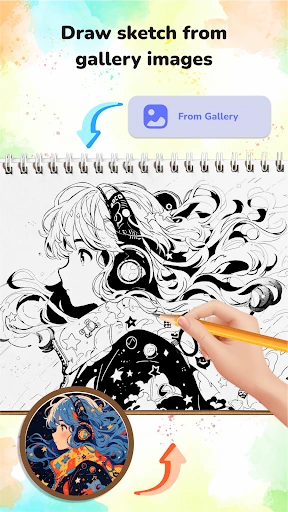
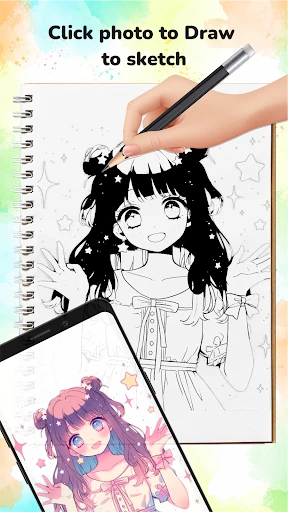
What sets this app apart is its use of augmented reality (AR) to help you draw. Imagine pointing your phone camera at a blank sheet of paper and seeing a virtual sketch appear. That’s exactly what this app does. You can choose from a variety of templates, and the app will guide you through the drawing process step by step. It’s like having a stencil that’s alive and interactive.
The beauty of this feature is how it caters to both beginners and seasoned artists. Whether you’re just starting or looking to improve your skills, the app provides the scaffolding necessary to achieve impressive results.
A Look at the Creative Toolkit
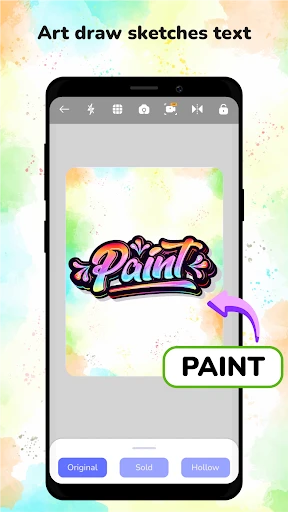
AR Draw Sketch & Paint isn’t just about AR magic; it’s packed with a variety of tools that will satisfy any artist’s needs. You get a range of brushes, colors, and even layers to play with. Plus, the app allows you to save your creations or share them directly on social media, which is perfect for showing off your new skills.
Another fantastic feature is the app’s library of tutorials. These aren’t your run-of-the-mill, boring lessons. They’re interactive and engaging, making learning not just effective but also fun. You’ll find yourself coming back to them time and again.
Reasons to Download This App Today
So, why should you download AR Draw Sketch & Paint? Well, if you’re looking to explore your artistic side without the mess or expense of traditional materials, this app is a no-brainer. It’s convenient, innovative, and most importantly, it’s downright fun!
To wrap it up, AR Draw Sketch & Paint is a delightful tool that brings the joy of creating art to everyone, regardless of skill level. Whether you’re doodling for fun or aiming to master new techniques, this app is your trusty companion. So go ahead, give it a try, and watch your creativity come to life in ways you never imagined possible!


- Developer
- Cheer Up Studio
- Version
- 1.1.3
- Installs
- 1,000,000+
- Android Version
- 7.0
- Content Rating
- Everyone
- Price
- Free
- Easy-to-use interface for beginners.
- Wide range of drawing tools available.
- Supports various brush styles.
- Includes layers for complex designs.
- Can export sketches in multiple formats.
- Contains ads that can be distracting.
- In-app purchases may be costly.
- Limited free features available.
- Requires internet for some functions.
- Occasional app crashes reported.


