
Citi Mobile®
Your Guide to the Citi Mobile® App
Your Guide to the Citi Mobile® App
Hey there! Today, we're diving into the world of mobile banking with a closer look at the Citi Mobile® app. This nifty little app is your gateway to managing your Citi accounts with just a few taps on your smartphone. So, let's see what makes this app tick and why it might just become your new financial BFF.
Getting Your Citi Mobile App Up and Running
First things first, downloading and setting up the Citi Mobile® app is a breeze. Available on both Android and iOS, you can grab it from the Google Play Store or the Apple App Store. Once installed, you'll be prompted to log in with your Citi credentials. If you're new to Citi, you can also create an account directly within the app. It’s all pretty seamless and quick, which is exactly what you want when you're itching to check your balance or pay a bill.
A Look at the App's Design and Feel
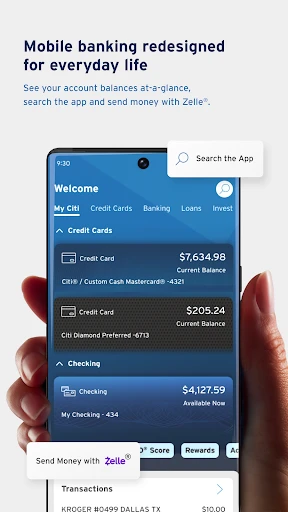
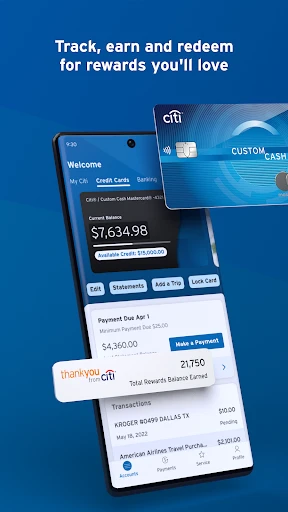
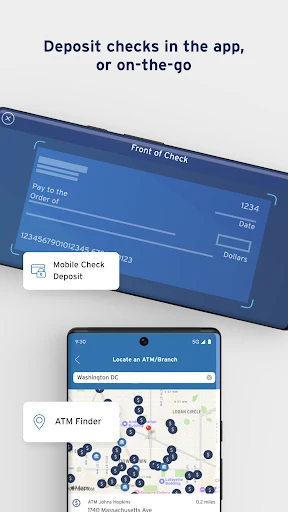
Now, let’s talk about the user interface. It’s slick, modern, and quite intuitive. The home screen gives you an overview of your accounts, recent transactions, and even a little snapshot of your credit score. Navigating through the app feels natural, with everything you need just a tap away. Whether it’s checking your account balance, transferring money, or finding the nearest ATM, it's all super accessible.
Handy Tools You'll Love
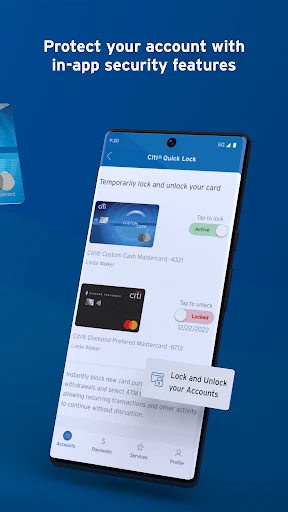
One of the standout features of the Citi Mobile® app is the ability to lock and unlock your cards with a simple toggle. Ever had that mini heart attack when you can't find your card? Yeah, me too. This feature is a lifesaver! Plus, the app supports mobile check deposits, which means you can deposit checks without ever stepping foot in a bank. Just snap a photo of the check, and you’re good to go.
Another cool feature is the personalized insights. The app analyzes your spending patterns and provides tips on how to save more. It's like having a tiny financial advisor in your pocket, nudging you towards better financial habits.
Keeping Your Money and Info Safe
Security is a biggie when it comes to mobile banking, and Citi Mobile® doesn’t disappoint. The app uses multi-factor authentication and fingerprint or face recognition to keep your data safe. Plus, if you ever run into any issues, the customer support is just a click away, ready to assist with any hiccups you might encounter.
Wrapping Up Our App Tour
Wrapping it all up, the Citi Mobile® app is a solid choice for anyone looking to manage their finances on the go. It’s user-friendly, packed with useful features, and offers top-notch security. Whether you're a Citi veteran or a newbie, this app makes handling your financial life a whole lot easier. So, if you haven't already, give it a whirl and see how it fits into your daily routine. Happy banking!
- Developer
- Citibank N.A.
- Version
- 9.83.0
- Installs
- 10,000,000+
- Android Version
- 10
- Content Rating
- Everyone
- Price
- Free
- Intuitive user interface for easy navigation.
- Quick access to account balances and transactions.
- Secure login with biometric authentication.
- Customizable alerts for account activity.
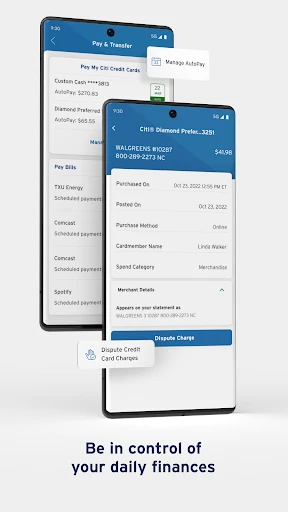
- Supports multiple account types and credit cards.
- Occasional app crashes and slow loading.
- Limited features for investment accounts.
- Complex process for adding external accounts.
- Frequent updates required for bug fixes.
- Some users experience login issues.