Dropbox: Secure Cloud Storage
Unlocking the Magic of Dropbox: Secure Cloud Storage
Unlocking the Magic of Dropbox: Secure Cloud Storage
Hey there! If you're always looking for a great app to keep your data safe and accessible from anywhere, let me tell you about Dropbox. I get it, you might be thinking, "Oh, another cloud storage app?" But stick with me, because Dropbox is different. It's like having a personal helper that securely holds all your important files for you.
Effortless Access Wherever You Are
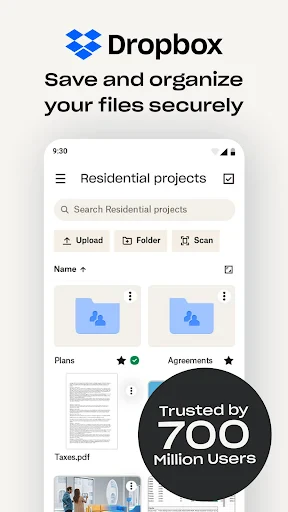
First up, let's talk about how easy it is to get to your stuff. The best part about Dropbox is how it works perfectly across all your gadgets. Whether I'm on my work computer, quickly checking my phone, or relaxing with my tablet at home, all my files are right there. It syncs everything so smoothly it feels like a neat trick. The layout is also really straightforward, so you can jump right in without any fuss.
Peace of Mind with Top-Tier Security
Now, onto security—which is super important these days. Dropbox is seriously good at this. It uses strong encryption to protect your files while they're being sent and while they're just sitting stored. So, whether I'm uploading holiday pictures or backing up critical work files, I know they're locked away from anyone who shouldn't see them. And the two-step verification? It's a must-have for anyone who's extra cautious about their online safety (which is totally smart!).
Teamwork Without the Headaches
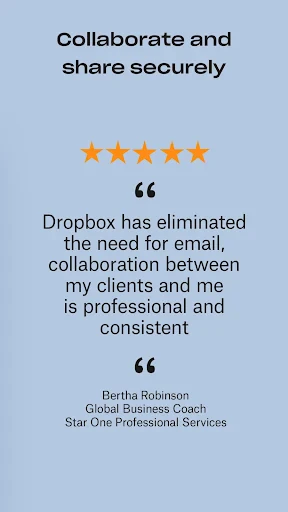
For anyone who works with others, Dropbox is a total lifesaver. Its collaboration tools make it simple for everyone to stay connected. I especially love the shared folders and the ability to leave comments on documents. Working on a team assignment or organizing something with family becomes a breeze, as everyone can pitch in, make edits, and chat about changes live. It's like having a digital space where teamwork actually works.
Plenty of Space and Simple Sharing
Dropbox also gets it right with storage space. It has options from a free starter amount to bigger paid plans, so there's a fit for all kinds of users. The free plan gives you 2GB, which is awesome for getting started. And if you have tons of files like I do, you can get a paid plan for loads more space without spending a fortune.
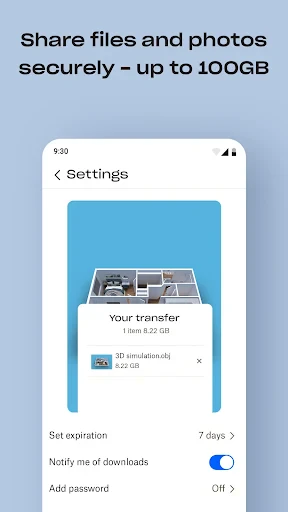
Sharing files is incredibly simple. With just a couple of clicks, you can send a link to your files or folders to anyone—they don't even need a Dropbox account. It's perfect for when you need to get a file to someone fast and without any hassle.
Wrapping It Up
To sum it all up, Dropbox has become a must-have tool for me. With its strong security, easy-to-use design, and powerful features for working together, it meets all my needs for cloud storage. Whether you're a professional trying to be more efficient, a student handling lots of assignments, or just someone who wants a dependable spot for personal files, Dropbox is a solid choice.
So, if you're unsure which cloud service to pick, why not try Dropbox? It could easily turn into your go-to app as well


- Developer
- Dropbox, Inc.
- Version
- 424.2.2
- Installs
- 1,000,000,000+
- Android Version
- 8.0
- Content Rating
- Everyone
- Price
- Free
- Easy file sharing across devices.
- Generous free storage space.
- Strong security features.
- Offline access to files.
- Seamless integration with other apps.
- Limited offline editing capabilities.
- Can be costly for large storage needs.
- Occasional sync delays.
- Complexity for new users.
- Privacy concerns over data handling.