Google Maps Go
Discovering the World with Google Maps Go
Discovering the World with Google Maps Go
Hey everyone, let's talk about Google Maps Go, the lighter version of the famous Google Maps app. If you enjoy traveling or just finding your way around town but don't want an app that uses a lot of your phone's power, this could be the perfect solution for you.
A Sleeker, Speedier Navigator
First, let's discuss what makes Google Maps Go so special. It's built to be incredibly light on its feet. You get all the navigation power without the heavy load on your device. It's perfect if your phone is often short on storage. The app is made to run smoothly, even on phones with less memory or those using the Android Go system.
Just What You Need, Simplified
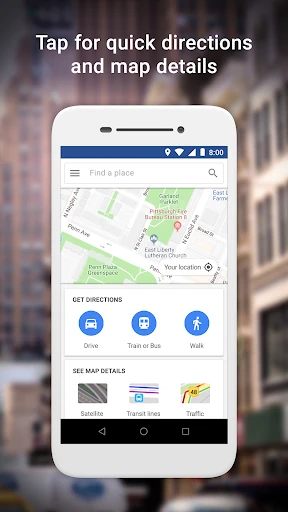
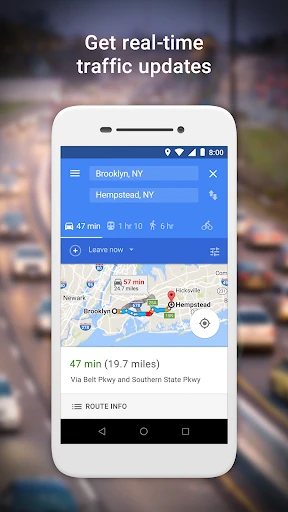
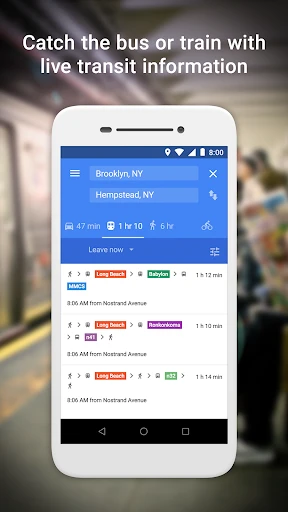
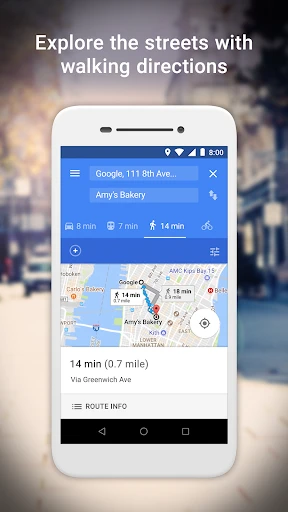
Even though it's a simpler version, Google Maps Go has all the important features. You still have access to live GPS navigation, public transport details, and directions for driving, walking, or cycling. The layout is neat and easy to understand, which is great if you prefer a straightforward tool. It also works well with other Google apps, so moving between them is simple.
Built for the Urban Explorer
You might be thinking, "Is there a downside?" Since Google Maps Go is mainly a Progressive Web App (PWA), it needs a good internet connection to work best. This makes it ideal for city travel where networks are strong, but it might not be the top pick for very remote areas with no signal. For everyday city use, however, it's a fantastic tool.
Intuitive and Easy to Use
Using Google Maps Go is really simple. The design is user-friendly, so you don't need to be tech-savvy to figure it out. I personally found the public transport features very useful for getting around busy cities. The app gives you live updates on your route, helping you find the quickest way to your destination.
Considering the Trade-Offs
Okay, let's talk about what's missing. You won't find some features from the full Google Maps app here, like saving maps for offline use or the Street View option. But if your main need is a basic, effective navigation aid that gets the job done, this app delivers. It focuses on the core experience without unnecessary extras.
Wrapping It Up
So, is Google Maps Go for you? If you prefer saving phone space and value efficiency over advanced features, then yes, definitely! It's a strong, reliable app that performs well on the essentials. It's like having a dependable guide that's always ready to help.
In an age where apps keep getting more complicated, Google Maps Go is a nice change of pace. It shows that a simpler approach can be just as effective. Try it out yourself and see how it helps on your next journey

- Developer
- Google LLC
- Version
- Varies With Device
- Installs
- 1,000,000,000+
- Android Version
- Varies With Device
- Content Rating
- Everyone
- Price
- Free
- Lightweight
- saves storage space
- Fast and efficient for low-end devices
- Accurate location tracking
- Supports voice-guided navigation
- Lacks some features of full version
- Limited customization options
- No real-time traffic updates
- Requires internet for most features
- Not suitable for power users