Google Slides
Your Pocket-Sized Presentation Studio: A Look at the Google Slides App
Your Pocket-Sized Presentation Studio: A Look at the Google Slides App
Ever found yourself in a pinch needing to whip up a presentation but don’t have access to your personal computer? Let me introduce you to Google Slides, the app that might just save your day. Whether you’re on Android or iOS, this app is like having a mini presentation studio in your pocket. Let’s dive into what makes Google Slides a must-have for anyone who finds themselves needing to create presentations on the go.
A Look and Feel You Already Know
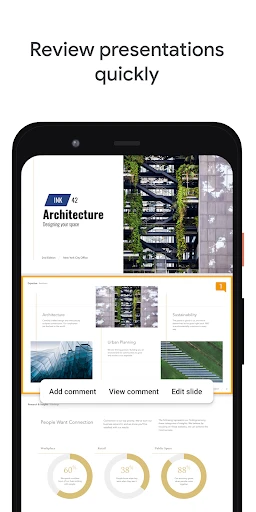
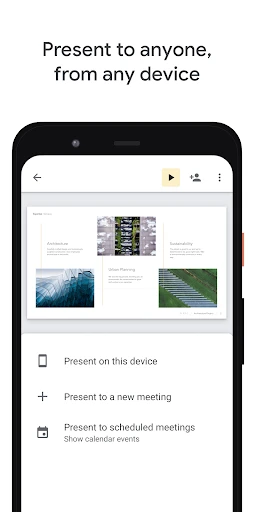
First things first, let’s talk about the interface. If you’ve used Google’s suite of tools before, you’ll feel right at home. The design is clean, minimalistic, and very intuitive. It’s almost like Google knows that you don’t have time to waste figuring out where everything is. With just a few taps, you’re creating slides, adding images, and even embedding video links. The interface is designed to make your life easier, and trust me, it does just that.
Handy Tools at Your Fingertips
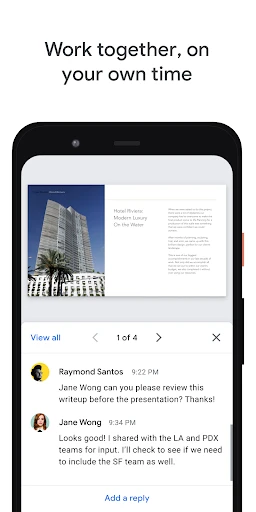
One of the coolest things about Google Slides is its collaborative features. You can share your presentation with team members and edit together in real-time. It’s like being in a meeting room but without the awkward silences. You can leave comments, suggest edits, and chat with your collaborators directly within the app. This feature alone makes it invaluable for team projects and classroom settings.
Another fantastic feature is the variety of templates available. Whether you need something professional, creative, or minimalist, Google Slides has got you covered. You don’t need to be a design wizard to make your slides look good. Just pick a template, and you’re off to the races!
How It Runs on Your Phone and Tablet
Now, let’s talk about something that can be a dealbreaker for many: performance. Google Slides runs smoothly across both Android and iOS devices. I’ve used it on both my tablet and smartphone, and the experience was seamless. No lag, no crashes, just smooth sailing.
The app also works offline, which is a huge plus. You can create and edit your presentations without an internet connection, and once you’re back online, everything syncs automatically. It’s perfect for those moments when you’re on a plane or in a place with spotty Wi-Fi.
The Bottom Line
So, is Google Slides worth downloading? Absolutely. It’s a powerful tool wrapped in a user-friendly package. It offers flexibility, collaboration, and the ability to create stunning presentations anytime, anywhere. Whether you’re a student, a business professional, or just someone who loves creating presentations, Google Slides is definitely worth checking out. Plus, it’s free! So, go ahead, give it a try, and let me know what you think. Happy presenting!

- Developer
- Google LLC
- Version
- Varies With Device
- Installs
- 1,000,000,000+
- Android Version
- Varies With Device
- Content Rating
- Everyone
- Price
- Free
- Easy collaboration with team members.
- Free to use with a Google account.
- Offline editing available.
- Integrates with other Google apps.
- Real-time updates and auto-save.
- Limited design options compared to PowerPoint.
- Requires internet for full functionality.
- Some features require a paid plan.
- Limited offline features without extensions.
- Can be slow with large presentations.