Home Security Camera - SeeCiTV
Home Security Camera - SeeCiTV
Home Security Camera - SeeCiTV
Have you ever thought about what your pets are doing while you're away or wanted to take a quick peek inside your house during a trip? Let me tell you about Home Security Camera - SeeCiTV. This app has quickly become a personal favorite for keeping tabs on my home, and I'm going to break down exactly why it's so useful.
Getting Your SeeCiTV Camera Running
First off, getting Home Security Camera - SeeCiTV up and running is super simple. Just grab an old smartphone, and that's basically all you need. The app turns that old device into a fully functional security camera, which you can then watch from a different phone or tablet. It's a perfect way to put an unused phone to good use.
Noteworthy Features You'll Love
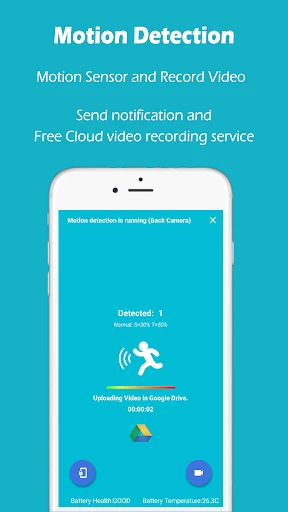
One of the best parts about SeeCiTV is its motion detection alerts. Picture this: you're relaxing, and your phone buzzes to tell you there's movement in your kitchen. This alert system isn't just clever; it's also very dependable.
Another handy feature is the ability to control things from afar. You can flip between the front and back cameras, switch the flashlight on, and start high-quality video recording all remotely. It feels like having a little helper right there in your house!
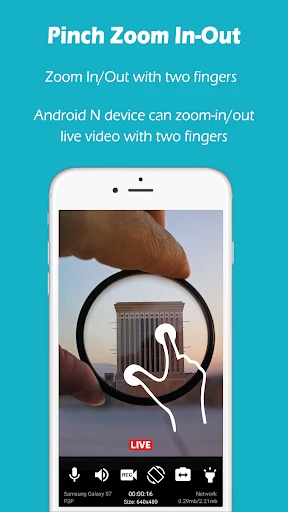
If you like having direct oversight, the app provides live streaming so you can see what's going on as it happens. It also includes video recording, so you can capture anything unusual to look at later. The video clarity is really good, which is a big plus.
What It's Like to Use
When it comes to how the app works, SeeCiTV is very user-friendly. The layout is simple and clear, so it's easy to find your way around, even if you're not great with technology. The app works with cloud storage, so you can store your videos without filling up your phone's space.
Something I really like is that the app can keep working even when you're using other apps on your phone. Your watch doesn't have to stop just because you're checking your messages or browsing online.
For anyone worried about security, SeeCiTV protects your video streams with encryption. It's reassuring to know your private footage isn't just out there for anyone to see.
Wrapping Up
To sum it up, Home Security Camera - SeeCiTV is a fantastic choice for anyone wanting some extra home security without spending a lot of money. It's quick to install, loaded with helpful tools, and gives you that peace of mind whether you're at the office, on holiday, or just out and about.
If you've got an old smartphone sitting in a drawer, I'd definitely suggest trying SeeCiTV. It's a straightforward, budget-friendly option that offers a lot of great benefits.


- Developer
- Geny Studio
- Version
- 7.7
- Installs
- 1,000,000+
- Android Version
- 5.0
- Content Rating
- Everyone
- Price
- Free
- User-friendly interface design.
- High-quality video streaming.
- Supports multiple cameras.
- Real-time alerts and notifications.
- Easy cloud storage access.
- Requires stable internet connection.
- Subscription needed for premium features.
- Limited free storage capacity.
- Occasional app crashes reported.
- Can drain battery quickly.