Kahoot! Play & Create Quizzes
Have you ever been in a classroom or a meeting where everyone seemed to be drifting off? Well, let me introduce you to Kahoot! Play & Create Quizzes, an app that’s here to change the game when it comes to interactive learning and engagement. Trust me, once you start using Kahoot!, those dull moments will be a thing of the past!
Have you ever been in a classroom or a meeting where everyone seemed to be drifting off? Well, let me introduce you to Kahoot! Play & Create Quizzes, an app that’s here to change the game when it comes to interactive learning and engagement. Trust me, once you start using Kahoot!, those dull moments will be a thing of the past!
What's This Kahoot! Thing All About?
So, what exactly is Kahoot!? At its core, it's a game-based learning platform that makes it super easy to create quizzes on any topic imaginable. The fun part? You get to play these quizzes in real-time with your friends, classmates, or colleagues. The app is available on both Android and iOS, and it's incredibly user-friendly.
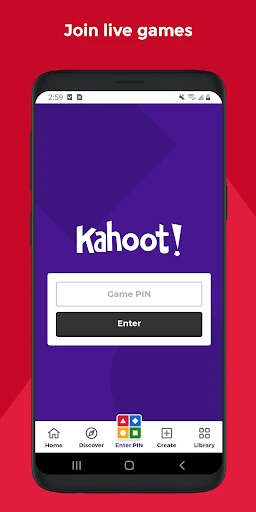
When you first open the app, you're greeted by a vibrant and intuitive interface. You can either jump straight into the action by joining a quiz or take a few minutes to create your own. Creating a quiz is as simple as pie; you pick a theme, add your questions, and voilà! You’ve got yourself a custom quiz ready to be played.
Why Playing Kahoot is a Total Blast
Playing Kahoot! is an absolute blast. You can host live quizzes where participants join using a unique game PIN. It’s like having your own game show! The competitive spirit kicks in as players race against the clock to answer questions, with points awarded for speed and accuracy. Plus, the music and visuals add an extra layer of excitement.
One of my favorite features is the instant feedback. At the end of each question, you get to see how you did compared to others. It's a great way to learn and improve, and trust me, it gets addictive! The leaderboard keeps things thrilling, and there’s nothing like the feeling of climbing to the top spot.
Become a Quiz-Making Whiz
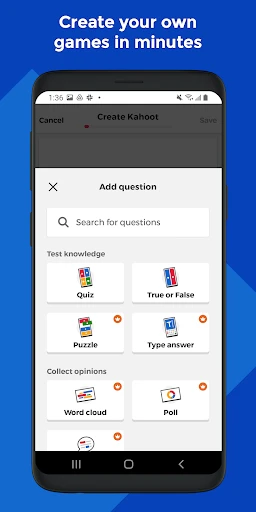
If you ever imagined yourself as a quiz master, Kahoot! is your chance to shine. The app provides a straightforward way to create quizzes. You can add images, videos, and even diagrams to make your quiz as engaging as possible. And with the option to explore millions of ready-to-play quizzes, inspiration is never far away.
What’s fantastic is the flexibility. Whether you’re a teacher wanting to make learning fun, a business professional looking to spice up a meeting, or just someone who loves trivia nights with friends, Kahoot! has something for everyone. Plus, it's a great tool for remote learning and virtual events.
Wrapping It Up: Why You'll Love Kahoot
In a nutshell, Kahoot! Play & Create Quizzes is more than just an app; it's a platform that brings people together through the power of play. The mix of learning and gaming is a winning combo that makes information stick. It's easy to see why it's become a favorite among educators and trivia enthusiasts alike.
Whether you're using it for education, training, or just for fun, Kahoot! is sure to be a hit. So go ahead, give it a try, and watch as your quizzes bring a wave of energy and excitement to any setting. Trust me, once you Kahoot!, there's no going back!



- Developer
- Kahoot!
- Version
- 6.3.5
- Installs
- 50,000,000+
- Android Version
- 8.0
- Content Rating
- Everyone
- Price
- Free
- Engaging and fun for educational purposes.
- User-friendly interface and easy navigation.
- Variety of quiz topics available.
- Encourages interactive learning.
- Compatible with multiple devices.
- Requires internet connection to play.
- Limited features in the free version.
- Some quizzes may lack depth.
- Ads can be intrusive.
- Occasional app crashes reported.