Launcher iOS 19
Transform Your Android Device into an iOS Wonderland
Transform Your Android Device into an iOS Wonderland
Have you ever thought about what it would be like to turn your Android phone into something that looks and feels like an iPhone? Well, you're in for a treat because Launcher iOS 19 makes that happen. I've spent some time using it, and honestly, it feels like getting the best features from both operating systems. Let's check out what makes this app so great for anyone wanting to freshen up their phone's style.
Transform Your Interface
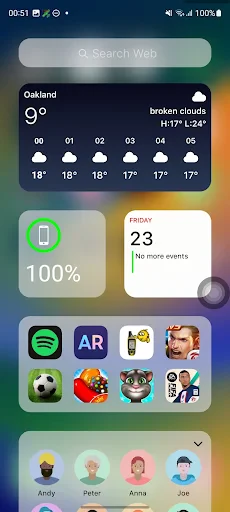
The most immediate change you'll see with Launcher iOS 19 is how it totally overhauls your home screen. The app gives you a slick and minimalist design that closely copies the iOS look. Everything from the smooth way apps open to the flowing icon movements makes it feel like you've officially joined Team Apple. It's more than just a new skin; it's a complete makeover for your device.
Customization Heaven
One of the best things about this launcher is how much you can personalize it. You can change app icons, tweak your widgets, or rearrange the entire layout—Launcher iOS 19 lets you do it all. You get to set up your phone exactly how you want it, and it's really simple to do. Plus, it doesn't make your phone run slower. It's quick, responsive, and super easy to use.
User Experience
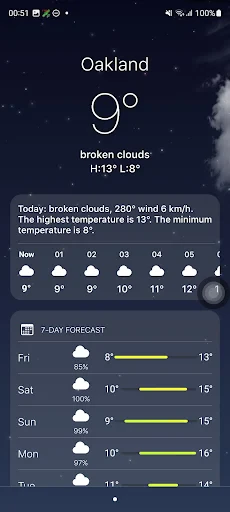
You might be asking yourself – does it genuinely feel like using an iOS device? In my experience, it gets remarkably close. The app drawer, the control center, and even the notifications are modeled after iOS with great attention to detail. Moving around the interface feels natural, and if you're already familiar with iOS, it will feel just right.
But even if you're a dedicated Android user, you'll probably find the design new and straightforward. The app is built with a focus on the little things, ensuring every swipe and tap feels smooth and intuitive.
Performance
When it comes to how well it runs, Launcher iOS 19 holds up nicely. It works on many different Android phones and the developers have optimized it to run without stutters or delays. It's not a heavy app, so you don't need to be concerned about it draining your battery or using too much memory. The creators have done a great job of blending good looks with solid performance.
Final Thoughts
So, what's the final say? If you want to give your Android phone an iOS-style refresh, Launcher iOS 19 is absolutely worth trying. It looks good, works well, and doesn't sacrifice speed. It gives you that exciting new-phone feeling without actually having to buy a new device. Whether you love iOS or are just interested in trying it out, this app is a fantastic way to experience a bit of that Apple magic on your Android!


- Developer
- LuuTinh Developer
- Version
- 8.2.8
- Installs
- 10,000,000+
- Android Version
- 5.0
- Content Rating
- Everyone
- Price
- Free
- Smooth user interface experience.
- Customizable app icons.
- Seamless transition between screens.
- Battery efficient design.
- Supports widgets similar to iOS.
- Limited customization options.
- Occasional ad interruptions.
- Some features require payment.
- Certain widgets are buggy.
- Not compatible with older Android versions.