PDF Note Reader
Your New Favorite Tool for PDFs on the Go
Your New Favorite Tool for PDFs on the Go
Have you ever found yourself juggling through stacks of documents, trying to annotate, highlight, or simply read through PDFs on your mobile device? Enter the PDF Note Reader, a nifty app that's designed to make your experience with PDFs as seamless as possible. Let me take you through my experience with this app and why it might just be the next addition to your app arsenal.
First things first, downloading the PDF Note Reader was a breeze. Available on both Android and iOS platforms, I hopped onto my preferred app store, hit download, and voila! Within moments, I was ready to dive into the world of PDFs. The app's interface is pretty intuitive. Even if you're not the most tech-savvy person around, navigating through it feels like a walk in the park. Everything is laid out clearly, which means less time figuring things out and more time getting things done.
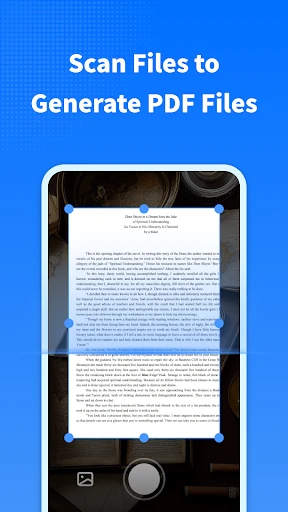
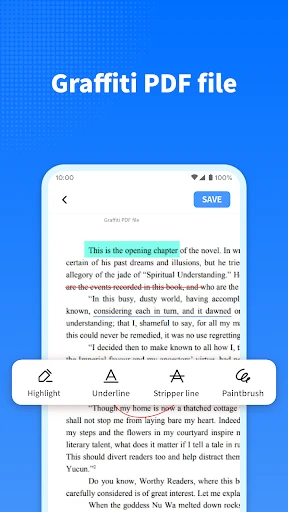
Alright, let's talk about what this app can really do. At its core, PDF Note Reader offers a robust set of features that cater to both casual users and those needing a little more oomph in their PDF interactions. You can highlight text, make annotations, and even add comments. It's like having a digital highlighter and notepad combined. Need to bookmark a page for quick reference later? Easy peasy! The app allows for seamless page navigation so you can jump to any section without breaking a sweat.
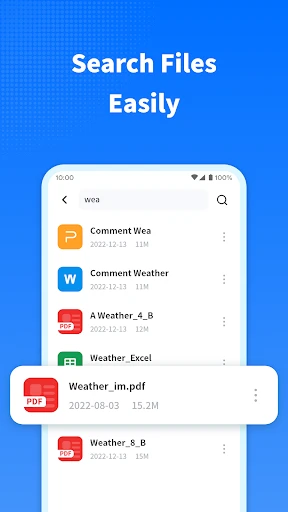
One feature I particularly love is the ability to sync your documents across devices. Imagine marking up a report on your phone during your commute and picking up right where you left off on your tablet or desktop at home. It's this kind of cross-device functionality that makes the app stand out. Plus, the app's search functionality is super efficient, allowing you to find specific words or phrases in your documents in a snap.
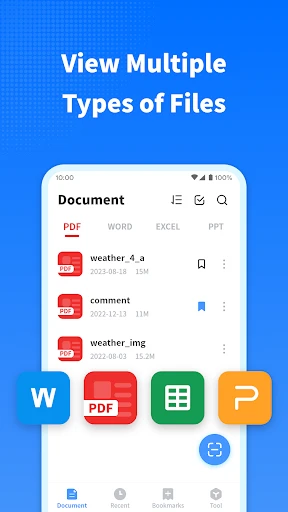
While using PDF Note Reader, I noticed how smooth and responsive it is. There weren't any annoying lag times, even when dealing with hefty files. The app also supports a variety of file formats, which means you're not just limited to PDFs. Whether it's a Word document or an ePub file, PDF Note Reader has got you covered.
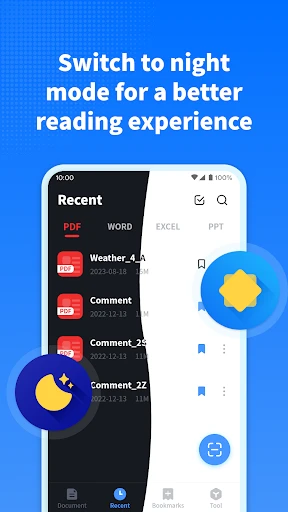
And let’s not forget the customization options. The app lets you adjust the background color and text size, adapting to your reading comfort. This is perfect for those late-night reading sessions when you need a softer display to ease your eyes.
So, is the PDF Note Reader worth a download? If you're someone who regularly deals with PDFs and values efficiency and ease of use, then absolutely! It combines all the tools you need in one compact app, making document management a whole lot easier. It's like having your own portable office right in your pocket.
In a world where productivity is key, having the right tools can make all the difference. And with PDF Note Reader, you might just find yourself breezing through your document tasks faster than ever before. So go ahead, give it a try, and see how it fits into your digital toolkit. Happy reading!
- Developer
- Wind Rider
- Version
- 1.1.5
- Installs
- 5,000,000+
- Android Version
- 5.0
- Content Rating
- Everyone
- Price
- Free
- Supports multiple file formats.
- Fast and responsive interface.
- Easy annotation tools.
- Offline access available.
- Lightweight and efficient.
- Limited cloud storage options.
- Ads can be intrusive.
- No night mode feature.
- Limited text editing capabilities.
- Occasional sync issues.