Pixlr AI Photo Editor
Transform Your Photos with Pixlr AI Photo Editor
Transform Your Photos with Pixlr AI Photo Editor
Hey there photography enthusiasts! If you're anything like me, snapping pics is just a part of everyday life. But let's be honest, not every shot comes out perfectly. Enter the Pixlr AI Photo Editor, a game-changer for all of us amateur photographers who want our photos to look professionally edited without having to spend hours tweaking them.
Your First Look at the Pixlr Editor
First things first, diving into the Pixlr AI Photo Editor is like opening a toolbox filled with all the gadgets you never knew you needed. The app is available on both Android and iOS, and the best part? It's free to download! Once you fire it up, you’re greeted with a sleek interface that screams intuitiveness. No more fumbling around trying to find the right tool; everything is laid out right where you need it.
Effortless Pro-Level Edits
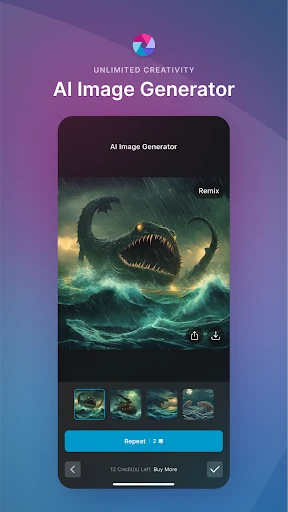
The app’s standout feature is undoubtedly its AI-powered editing tools. I mean, who has time to manually adjust lighting and contrast these days? With Pixlr, the AI does the heavy lifting. You simply upload your photo, and the app suggests enhancements based on its analysis. And let me tell you, it’s scarily accurate! From color correction to sharpening, it’s like having a professional editor right in your pocket.
For those of us who like to have a bit more control, Pixlr offers a plethora of manual editing options too. Whether it's cropping, rotating, or adding text, you can fine-tune your images to your heart’s content. And the filters? Oh boy, they’re a dream. From vintage vibes to modern chic, there’s something for every mood.
Unleashing Your Creative Side
Now, let's talk about the creative side of things. Pixlr doesn't just stop at basic edits. Want to add a splash of color to your photos? Try the color splash tool! Or maybe you’re in the mood for a collage? Pixlr has you covered with its easy-to-use collage maker. It’s these little extras that make the app not just a photo editor, but a creative playground.
I particularly love the overlays feature. Whether you want to add light leaks, bokeh, or artistic effects, Pixlr offers a variety of overlays to give your photos that extra oomph. It’s these small touches that can transform a bland photo into a work of art.
Sharing Your Masterpieces
Once you’re done perfecting your masterpiece, sharing it is a breeze. Pixlr lets you save your creations in high resolution, so you don’t lose any quality. Plus, with direct sharing options to social media platforms, you can showcase your photography skills to the world with just a tap.
And for those who like to keep their work organized, the app allows you to save your projects within the app. This way, you can always go back and make further edits or simply admire your handiwork.
In conclusion, the Pixlr AI Photo Editor is a must-have for anyone who loves photography. It’s user-friendly, packed with features, and most importantly, it makes editing fun. So, why not give it a try? Your next favorite photo might just be a few taps away



- Developer
- Pixlr Pte Ltd
- Version
- 3.6.9
- Installs
- 50,000,000+
- Android Version
- 9
- Content Rating
- Everyone
- Price
- Free
- User-friendly interface for quick edits
- Comprehensive toolset for photo enhancement
- Supports layers for complex editing
- Fast processing even on large images
- Frequent updates with new features
- Limited free version capabilities
- Occasional ads in the free version
- Requires internet for some features
- High-quality exports need paid plan
- Some advanced tools lack depth