Reverse Charging Wireless
Your Phone as a Power Bank: The Magic of Reverse Charging
Your Phone as a Power Bank: The Magic of Reverse Charging
Alright, folks, gather around because today I’m diving into something that feels like it’s straight out of a sci-fi movie. Imagine this: your phone is not just a device that you plug into a charger, but it becomes a charger itself. Let’s unpack this cool gadgetry and see what it’s all about!
So, What's This Wireless Power Sharing All About?
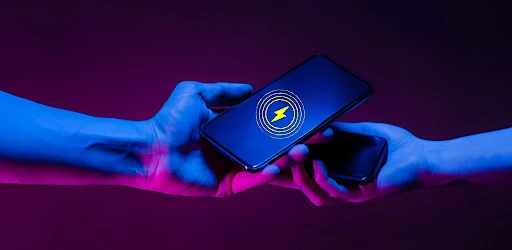
Okay, picture this: you’re out with your buddies, and someone’s phone is about to die. But, oh wait, your phone is fully juiced up. Instead of mumbling apologies, you whip out your phone and offer to charge theirs. This magical feature, known as reverse wireless charging, allows your device to wirelessly charge another compatible gadget. It’s like sharing a bit of your phone’s lifeline, and honestly, it’s kind of awesome!
The Simple Tech Behind the Magic
Now, without getting too technical and losing you in volts and watts, here’s the gist of it: Reverse charging works through a technology called Qi wireless charging. It’s the same tech that lets you charge your phone by placing it on one of those fancy charging pads. But here, your device becomes the pad. It’s like your phone has learned a neat new trick!
Why This Feature is a Total Lifesaver
Let’s be real, we’ve all been in situations where we bicker over the last available charging cable, or worse, someone forgot theirs entirely. Here’s where reverse wireless charging swoops in to save the day. Just place the phones back to back, and voila, charging commences. It’s particularly handy for charging smaller devices like earbuds and smartwatches. I tried it with my buddy’s earbuds, and they started charging immediately. Instant karma points for me!
Is This Tech Made for You?
If you’re someone who often finds themselves with tech-savvy friends or in situations where someone’s battery is always on the brink of extinction, this feature is a win. Or maybe you’re just really into gadgets and love to have the latest tech at your fingertips. Either way, reverse wireless charging is a nifty addition to your tech arsenal.
A Few Things to Keep in Mind
Now, I wouldn’t be doing my due diligence if I didn’t mention a couple of things to watch out for. First off, reverse charging isn’t the fastest compared to traditional methods. So, if you’re in a hurry, you might want to stick with a cable. Also, it can drain your battery faster, so use it wisely unless you want to be the one asking for a charge next!
Wrapping It Up
All in all, reverse charging wireless is a feature that’s worth checking out. It’s not going to replace your regular charging methods, but it’s a fantastic backup plan and a cool party trick to show off. Plus, it’s one of those things that makes you feel like you’re living in the future. So, if your phone supports it, give it a whirl. Who knows, you might just end up being the hero of the day


- Developer
- Shadow soft
- Version
- 8.0
- Installs
- 5,000+
- Android Version
- 7.0
- Content Rating
- Everyone
- Price
- Free
- Convenient for charging on the go
- Eliminates need for extra cables
- Sleek and modern design
- Compatible with multiple devices
- Fast charging capabilities
- Limited to certain devices
- May overheat with prolonged use
- Reduces battery life when in use
- Not as fast as wired charging
- Requires compatible accessories