Shazam: Find Music & Concerts
Ever found yourself humming a tune but can't quite remember the name of the song or the artist behind it? Well, let me introduce you to Shazam, the magical app that's got your back when it comes to identifying music. This app is like having a musical encyclopedia right in your pocket, and trust me, it's a lifesaver for those "what's that song again?" moments.
Ever found yourself humming a tune but can't quite remember the name of the song or the artist behind it? Well, let me introduce you to Shazam, the magical app that's got your back when it comes to identifying music. This app is like having a musical encyclopedia right in your pocket, and trust me, it's a lifesaver for those "what's that song again?" moments.
Instant Music Recognition
One of the coolest features of Shazam is its lightning-fast music recognition ability. You just tap the Shazam button and voila! Within seconds, it identifies the song playing around you. It’s almost like it has ears of its own. Whether you’re in a noisy bar or a quiet coffee shop, Shazam listens, learns, and delivers. I've tried it in different settings, and it's fascinating how it manages to nail the song almost every time.
Discover Artists and Concerts
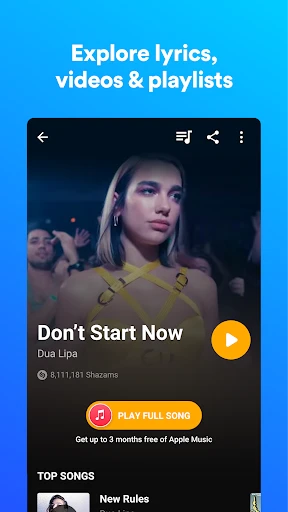
Beyond just identifying songs, Shazam opens up a world of musical discovery. When you Shazam a song, the app provides details about the artist, album, and even upcoming concerts. It's like having your personal concert guide. I’ve discovered so many new artists this way, and trust me, finding out about their concerts nearby is just the cherry on top. It's a fantastic way to keep your music library fresh and exciting.
Seamless Integration with Streaming Services
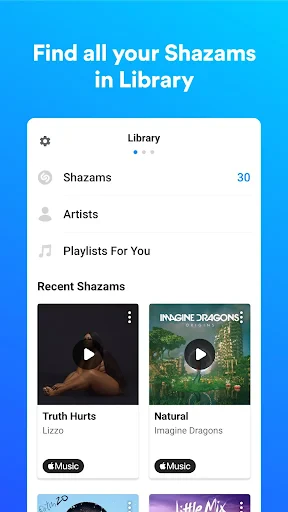
This app doesn't just stop at telling you what song is playing; it takes things a step further by integrating with your favorite streaming services like Spotify and Apple Music. Once you've identified a song, you can directly add it to your playlists or listen to it in full. This integration is super handy, especially when you hear a tune that you instantly fall in love with and want to keep in your collection.
Offline Shazam
Imagine this: You're in an area with no internet, and a great song comes on. No worries! Shazam's got an offline mode. It saves the audio snippet and identifies the track once you're back online. It's like having an insurance policy for music discovery! I've used it during road trips and flights, and it never disappoints.
Visual Shazam
Now, this is a feature that took me by surprise. "Visual Shazam" lets you scan pictures, posters, magazines, or any visual media to find more information about it. It's not just about music anymore; it's about connecting you to a wider world of media content. It’s an exciting addition that shows Shazam is constantly evolving.
My Personal Take
Honestly, Shazam is one of those apps that once you start using, you wonder how you ever lived without it. It's not just about finding out the name of a song; it's about expanding your musical horizons. Every time I use Shazam, I feel like I'm on a little adventure, discovering new tracks, artists, and concerts. Plus, the app is super easy to use, with a clean and intuitive interface that even my grandma could navigate.
So, if you’re a music lover, Shazam is an absolute must-have. It's like having your own personal DJ, ready to tell you everything about a song at the tap of a button. Whether you're a casual listener or a music aficionado, Shazam will definitely enhance your listening experience and keep you in the loop with the latest tunes and artist happenings. Go ahead, give it a try – you might just find your new favorite song!



- Developer
- Apple Inc.
- Version
- Varies With Device
- Installs
- 500,000,000+
- Android Version
- Varies With Device
- Content Rating
- Teen
- Price
- Free
- Identifies songs quickly and accurately.
- Integrates with popular streaming services.
- User-friendly interface and easy navigation.
- Provides concert information for artists.
- Offline mode available for song recognition.
- Requires internet for full functionality.
- May struggle with live or remixed versions.
- Limited features in free version.
- Occasional ads can be intrusive.
- Not all songs are available for identification.