
Square Team
Square Team App: Your Personal Assistant for Seamless Team Collaboration
Square Team App: Your Personal Assistant for Seamless Team Collaboration
When it comes to managing a team and making sure everyone works together smoothly, the Square Team app is a real powerhouse. Think of it as a personal assistant that never sleeps, always keeping your team connected and on track. No matter if you're running a small shop or managing a bigger group, this app has something useful for everyone.
Handy Tools to Simplify Your Work
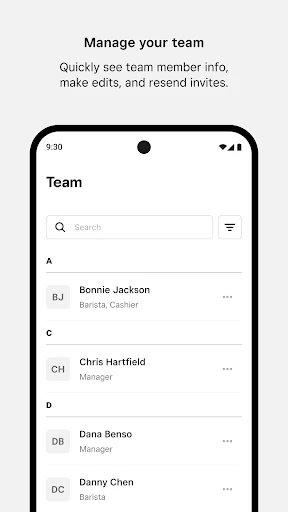
The Square Team app is packed with features that make handling your team a breeze. One standout is the scheduling tool. It's so easy to use that even if you're not a tech whiz, you'll get the hang of it quickly. You can set up shifts in no time, and the app will automatically let your team members know their schedules, so there are no last-minute surprises. And really, who doesn’t appreciate a friendly reminder?
Another cool feature is the time tracking. Forget about old-school time cards or forgetting to punch the clock. With this app, employees can clock in and out directly from their phones. It’s a modern-day solution that saves time and cuts down on paperwork.
Chat and Share Without the Hassle
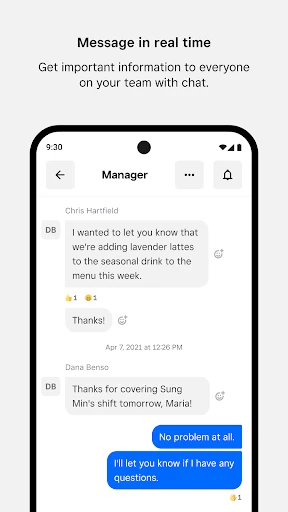
I also have to give a shout-out to the communication tools built right into the app. It’s like having a dedicated chat room just for your team. You can send messages to the whole group, have one-on-one conversations, or put out important announcements for everyone. Let's be honest, anything that reduces those endless email chains is a win in my book.
On top of that, the app lets you share files and documents directly with your team. So if you need everyone to look over a new policy or check out the latest menu changes, everything is right there, just a couple of taps away.
A Smooth and User-Friendly Experience
The app runs smoothly without any glitches, and the layout is as welcoming as your favorite neighborhood coffee spot. Everything is clearly laid out, and getting around the app is super simple. You can tell the people who made it really focused on the user experience, making sure that even those who aren’t super comfortable with technology can navigate it with ease.
Plus, the app works on both Android and iOS devices, so nobody gets left out. Whether your team is all about Apple or prefers Android, everyone can join in.
Wrapping It Up
In a world where every minute counts, a tool like Square Team can really change the game. It’s not just about creating schedules or tracking hours—it’s about building better team dynamics and making sure everyone is moving in the same direction. If you haven’t given it a try yet, I’d say go for it. It could be just the helper your team needs to stay organized and run like a well-oiled machine.



- Developer
- Block, Inc.
- Version
- 6.69.0
- Installs
- 500,000+
- Android Version
- 8.0
- Content Rating
- Everyone
- Price
- Free
- User-friendly interface
- Integrates with accounting software
- Customizable invoices
- Real-time collaboration
- Secure data encryption
- Limited free version features
- Can be slow on older devices
- Complex setup for beginners
- Requires constant internet
- Limited customer support hours