VSCO: Photo & Video Editor
If you've ever wanted to dive into the world of creative photo and video editing, then VSCO: Photo & Video Editor might just be your new favorite app. With its sleek design and intuitive interface, it's no wonder why so many creators swear by it. Let's take a closer look at what makes this app a must-have for both amateurs and seasoned pros.
If you've ever wanted to dive into the world of creative photo and video editing, then VSCO: Photo & Video Editor might just be your new favorite app. With its sleek design and intuitive interface, it's no wonder why so many creators swear by it. Let's take a closer look at what makes this app a must-have for both amateurs and seasoned pros.
First off, the user interface is a real visual treat. It's simple and clutter-free, letting you focus on your work without any annoying distractions. When you open the app, you're met with a clean and organized space that really gets your creative ideas flowing. The dark theme is also super easy on the eyes, which is a lifesaver during those long editing marathons.
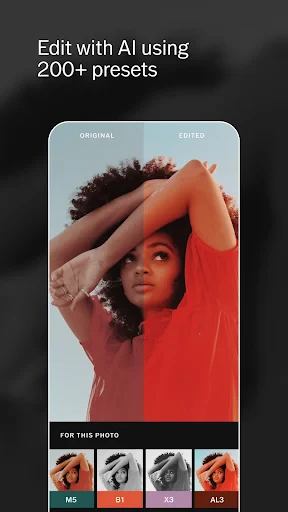
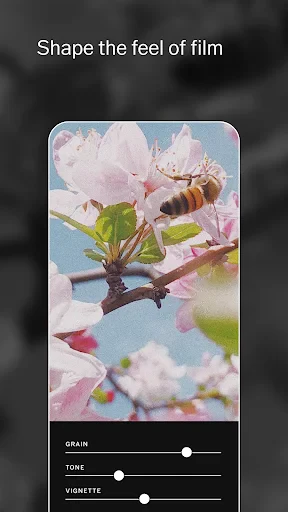
A major highlight of VSCO is the huge selection of editing tools it offers. Whether you need to brighten up some holiday pictures or give a portrait a more dramatic feel, VSCO has you covered. The app comes with a bunch of presets that can change the look of your photos in an instant. And if you're the type who likes to get into the details, the manual sliders give you total control to fine-tune everything.
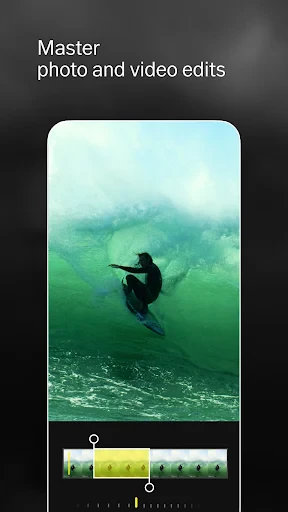
The video editing features are just as impressive. You can cut, tweak, and apply filters to your videos just as easily as you do with photos. It's basically like carrying a tiny editing studio around in your pocket. The best thing is, you don't have to be an expert to make your videos look polished and professional.
VSCO is more than just an editor; it's a place to connect with other creative people. The app has a lively community where members post their projects and motivate each other. You can keep up with artists you admire, find out about the latest styles, and join in on fun weekly challenges. It's a great way to stay inspired and see the amazing things people are making everywhere.
On top of that, VSCO provides helpful learning materials like tutorials and articles. These are awesome for beginners or anyone wanting to sharpen their skills. It feels like having a personal coach right inside the app, guiding you through all the editing tricks.
Even though VSCO is loaded with great features, it's good to know that some of the more advanced options require a paid membership. But if you're really into editing, it could be a smart move. The subscription gives you access to a whole library of extra presets and tools that can take your creations to the next level.
Another thing to keep in mind is that there can be a bit of a learning curve. The app is designed to be easy to use, but with so many choices, newcomers might feel a little lost at the start. Don't worry though—after some time playing around with it, you'll get the hang of things and be editing like an expert.
- Developer
- VSCO
- Version
- 399
- Installs
- 100,000,000+
- Android Version
- 6.0
- Content Rating
- Teen
- Price
- Free
- Intuitive user interface
- High-quality editing tools
- Wide range of filters
- Syncs across devices
- Ad-free experience
- Limited features in free version
- Requires subscription for full access
- Occasional app crashes
- No desktop version
- Slow customer support