ibis Paint
Have you ever found yourself doodling on the corner of a notebook, wishing you could bring your creations to life with a splash of color and professional touch? Well, let me introduce you to ibis Paint, an app that’s making waves in the digital drawing community. I’ve taken it for a spin, and here’s how it went down.
Have you ever found yourself doodling on the corner of a notebook, wishing you could bring your creations to life with a splash of color and professional touch? Well, let me introduce you to ibis Paint, an app that’s making waves in the digital drawing community. I’ve taken it for a spin, and here’s how it went down.
Getting the Hang of ibis Paint
First things first, getting ibis Paint on your phone is a total breeze. You can grab it from the app store on either Android or iOS, no problem. Once it's installed, the layout is super straightforward. You won't get lost trying to find the tools you need, which is awesome when you just want to start drawing right away without any fuss.
The Cool Tools You Get to Play With
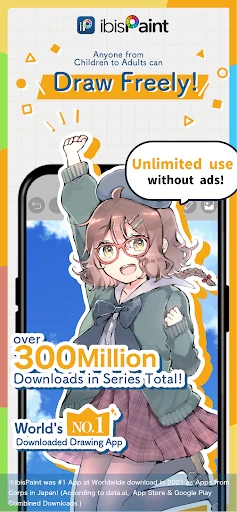
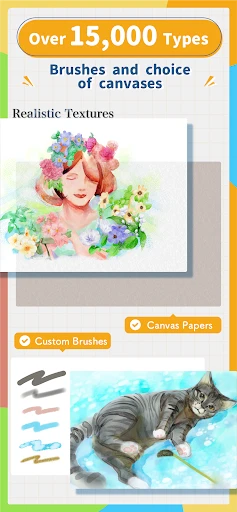
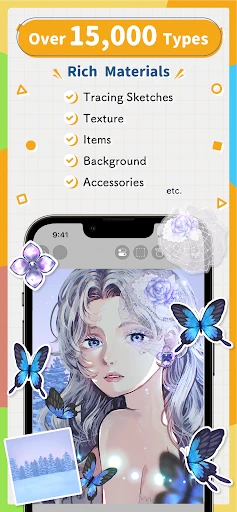
So, what makes this app fun to use? For starters, it comes with a massive collection of brushes—over 300 of them! And you can tweak each one to get the exact look you're going for, whether it's a sharp ink line or a soft watercolor wash. It honestly feels like carrying a full art kit in your pocket. I tried out a bunch, and they're great for everything from quick sketches to more polished pieces.
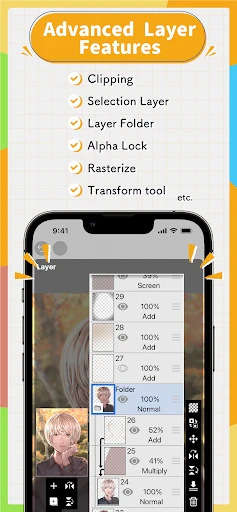
Another super helpful feature is layers. You can stack as many as you want, which is perfect for building up your drawing without messing up what you've already done. And get this—you can even make simple animations with up to 60 frames. That means you can bring your drawings to life, which I thought was a really neat bonus for anyone curious about animation.
Watch Your Art Unfold in Fast-Forward
If you enjoy showing people how you make your art, you're going to love this. The app can record a time-lapse video of your entire drawing process. It's really satisfying to see your artwork develop from a blank canvas to a finished piece in just a few seconds, and it's a fantastic way to share your creative journey online.
Joining a World of Fellow Artists
A big part of what makes ibis Paint special is its community. The app has its own social space where you can post your work, see what others are creating, and pick up tips and tricks. It's like having an art club that's always open, where you can improve your skills and meet other creative people. There are also tons of guides to help you learn, whether you're just starting out or you've been drawing for years.
Wrapping It All Up
To sum it up, ibis Paint is a seriously impressive drawing app that has something for everyone. No matter if you're just sketching for fun or working on a detailed project, this app has the tools to help you out. It's user-friendly, loaded with features, and backed by a community that's all about sharing and inspiration. If you haven't checked it out yet, I'd say go for it. Your new go-to art app might be waiting for you right on your phone
- Developer
- ibis inc.
- Version
- 12.2.11
- Installs
- 100,000+
- Android Version
- 5.0
- Content Rating
- Everyone
- Price
- $14.99
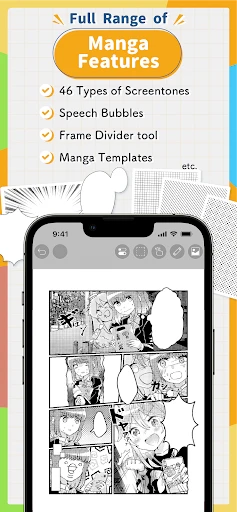
- Wide range of brushes and tools.
- User-friendly interface.
- High customizability.
- Frequent updates.
- Supports large canvas sizes.
- Ads in free version.
- Steep learning curve.
- In-app purchases.
- Occasional lag on older devices.
- Limited text editing features.


![[KNA008] COMBINE](https://appnexusworld.com/wp-content/uploads/2025/11/image1190636060267623625.webp)