
Yandex Browser with Protect
When it comes to web browsing, we all want a seamless and secure experience, right? Well, that's exactly what Yandex Browser with Protect promises. I've taken it for a spin, and let me tell you, it's packed with some nifty features that make it stand out from the sea of browsers out there.
When it comes to web browsing, we all want a seamless and secure experience, right? Well, that's exactly what Yandex Browser with Protect promises. I've taken it for a spin, and let me tell you, it's packed with some nifty features that make it stand out from the sea of browsers out there.
First Look and Getting Around
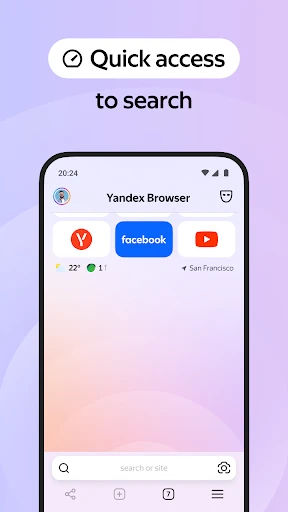
At first glance, Yandex Browser with Protect sports a sleek and modern design. It's pretty intuitive, which means you won't find yourself lost in a maze of settings and options. The launch is smooth, and the tab management is as easy as pie. I particularly loved the background customization options – it’s like dressing up your browser to suit your mood!
Your Personal Online Bodyguard
Now, let’s talk about the stuff that really matters – security. Yandex’s Protect feature is a game changer. It gives you that extra layer of security, ensuring your browsing is free from malicious sites and downloads. It felt like having a digital bodyguard, vigilant and always on duty. And the best part? It doesn’t slow down your browsing experience.
One cool feature is the active security system that instantly warns you if a site looks dodgy. It’s like having a sixth sense for phishing scams. I tested it with a few known suspicious sites, and it caught them all! Kudos to Yandex for prioritizing user safety.
Speed Things Up with Turbo
If you hate waiting for pages to load, then Turbo Mode is going to be your new best friend. This feature compresses web pages so they load faster, especially handy if your internet connection decides to take a nap. During my use, I noticed a significant speed boost, which was a pleasant surprise.
Take Your Browsing With You
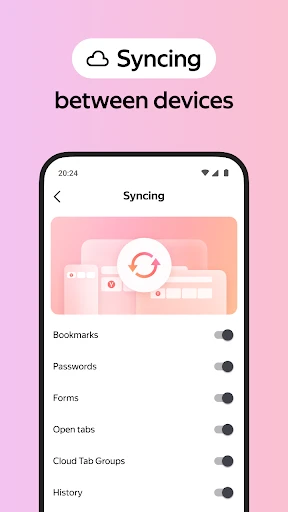
In today’s world, we’re always switching between devices, and Yandex makes this transition seamless. The sync feature allows you to access your bookmarks and browsing history across all your devices. So, no matter if you’re on your phone or computer, you’re always in the loop. I found this particularly useful during my daily commutes.
The Smart Search Assistant
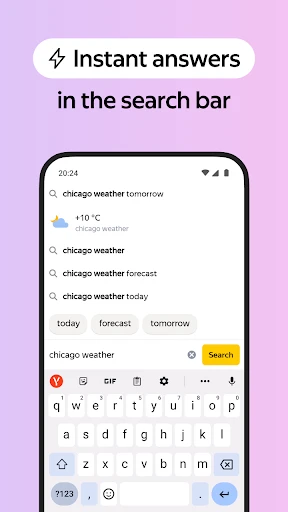
The SmartBox feature is another highlight. It’s not just a search bar; it’s a smart assistant. It provides quick answers, suggestions, and even acts as a calculator! Plus, the voice search is impressively accurate, picking up commands without a hitch.
So, what's the verdict? Yandex Browser with Protect is definitely worth a shot. It combines speed, security, and a user-friendly interface, making it a top contender in the browser market. Whether you’re a tech-savvy user or someone who just wants a reliable browser, Yandex has got your back.

- Developer
- Direct Cursus Computer Systems Trading LLC
- Version
- 25.4.3.180
- Installs
- 100,000,000+
- Android Version
- 8.0
- Content Rating
- Everyone
- Price
- Free
- Built-in ad blocker enhances browsing speed.
- Protect feature guards against harmful websites.
- Voice search functionality is convenient and fast.
- Intuitive interface with customizable themes.
- Supports numerous extensions for added functionality.
- High RAM usage may slow down older devices.
- Some features require a Yandex account.
- Occasional compatibility issues with certain sites.
- Limited offline browsing capabilities.
- Privacy concerns over data collection policies.