

AT&T Visual Voicemail
AT&T Visual Voicemail: A User's Hands-On Experience
AT&T Visual Voicemail: A User's Hands-On Experience
First Impressions and Setup
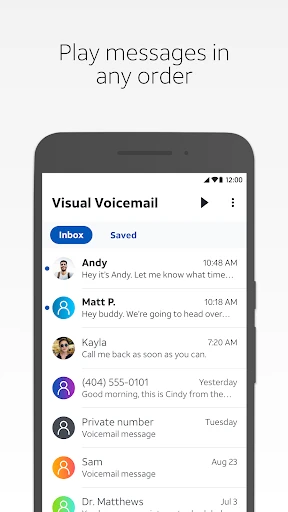
Getting started with AT&T Visual Voicemail was super simple. I just downloaded the app, and that was pretty much it—I was all set. The layout is clean and straightforward, so it's easy to get the hang of, even if you're not super comfortable with technology. It shows you a neat list of your messages, so you can see at a glance who called you, when they called, and even get a little sneak peek of what the message is about.
Features That Stand Out
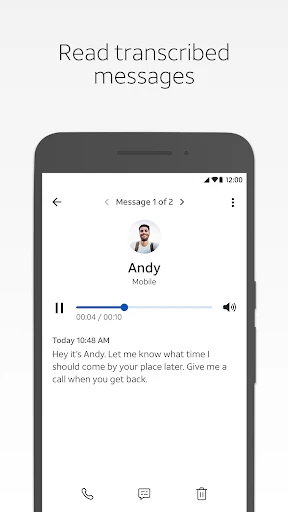
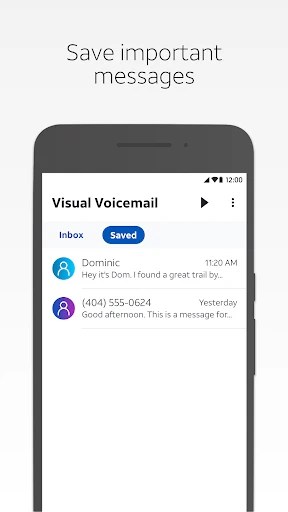
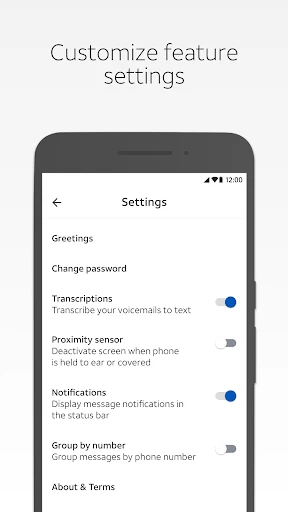
My absolute favorite thing is that it can turn your voicemails into text. That's right, you can just read them! This is a total lifesaver when you're somewhere you can't listen to a message, like in a quiet room or a loud place. Keeping your messages organized is also really easy. You can separate the ones you've heard from the new ones, and you can even save the important ones for later.
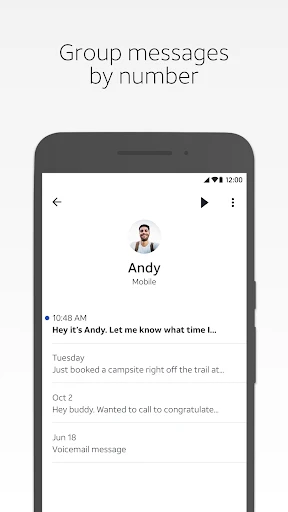
Another really useful feature is that you can share voicemails. If you get a message with an address or some important info, you can just forward it to someone through email or a text message. And the search tool works great. You can look up messages from a specific person or even search for a word that was in the transcription, which makes finding an old message a snap.
Performance and User Experience
In terms of how it runs, the app works really well. I haven't noticed it freezing up or being slow. It doesn't use a lot of your phone's power or data, which is a nice bonus. I always get notifications right away, so I never end up missing a message.
Overall, using the app is a really smooth experience. The design is simple and gets straight to the point, giving you all the tools you need without any clutter. It's just nice to use an app that actually saves you time and makes dealing with voicemails so much less of a headache.
One thing to keep in mind is that this is just for people with AT&T, so that's something to think about if you're planning to change your phone company.
The Bottom Line
To wrap it up, AT&T Visual Voicemail is an essential app if you want to make dealing with your voicemail box a whole lot easier. It's loaded with helpful features that add a level of convenience you just don't get with a standard voicemail system. If you're already with AT&T, you should definitely check it out. It feels like having a personal helper for your messages, and after you've used it, you won't know how you managed before.
- Developer
- AT&T Services, Inc.
- Version
- 4.18.0.10242
- Installs
- 10,000,000+
- Android Version
- 10
- Content Rating
- Everyone
- Price
- Free
- Easy to set up and use interface.
- Allows personalized voicemail greetings.
- Supports multiple voicemail boxes.
- Transcribes voicemails to text.
- Accessible from any device.
- Requires an AT&T postpaid plan.
- Limited to AT&T network users.
- Transcription isn't always accurate.
- Additional charges for premium features.
- May not sync with all devices.


