Document Reader & PDF Editor
My Hands-On Review of the Document Reader & PDF Editor App
My Hands-On Review of the Document Reader & PDF Editor App
Ever found yourself frantically searching for a specific document buried somewhere in your phone while you're on the go? Or perhaps you've had the need to quickly edit a PDF, but your laptop is miles away. Enter the Document Reader & PDF Editor app - a nifty tool that promises to alleviate these document-related woes. I took it for a spin, and here's what I discovered.
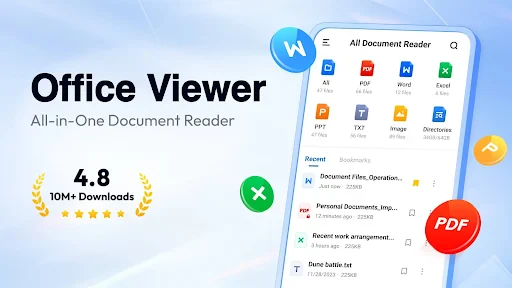
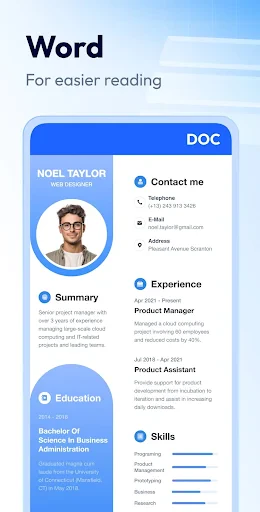
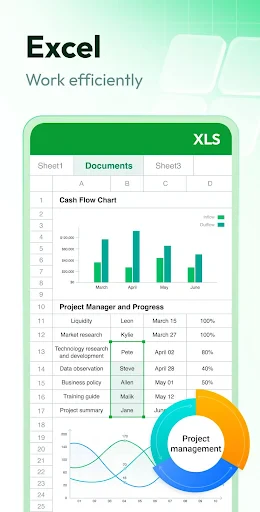
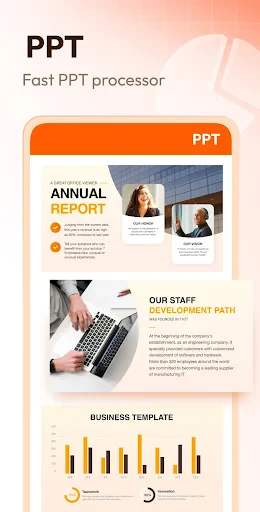
Right from the start, the app welcomes you with a clean and straightforward layout. It feels like stepping into a tidy room where everything has its place. You won't get lost trying to find what you need, even if you're not a tech expert. This tool handles a huge variety of files, from PDFs and Word documents to spreadsheets. It's basically a multi-tool for your documents, all sitting in your pocket.
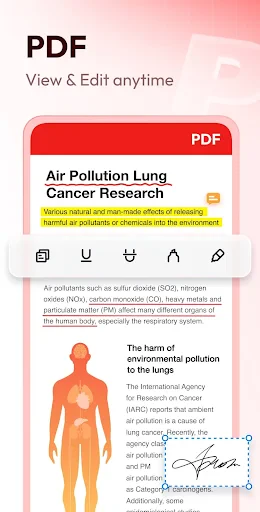
One feature that really grabs your attention is the ability to work with PDFs. You can mark them up, highlight text, and jot down notes in an instant. Think about being able to sign a form or complete paperwork right on your screen, no printer required. It's a huge help for anyone who's constantly busy and out of the office. Plus, the scanning tool is fantastic. Just snap a picture of a paper document with your camera, and you've instantly got a digital version to edit or send.
Another neat trick is the text recognition. It can pull text out of images and turn it into something you can edit. I tested it on some handwritten notes; it wasn't flawless, but it worked pretty well. This is super useful for students or workers who often take photos of meeting notes or whiteboards.
When it comes to how it runs, the app is pretty snappy and doesn't stall. Files open up quickly, and the editing tools react without delay. I did find that really big files might take a few extra seconds to open, but that's a small issue in what is otherwise a smooth operation. The app works great on both phones and tablets, so the experience is consistent no matter what gadget you're using.
On the usability front, the fact that it works offline is a major plus. You can view and change your documents without needing an internet connection. This is ideal for times when you're on a plane or somewhere with spotty service.
To sum it all up, the Document Reader & PDF Editor app is a flexible and user-friendly tool. It doesn't matter if you're in school, at a job, or just someone who likes their files in order—this app is definitely worth a look. It's like carrying a tiny, portable office in your phone that can handle almost any document job. It has a couple of small quirks, but the good parts are much more significant. Try it out; it could easily become your favorite app for managing documents.
- Developer
- QR Code Scanner.
- Version
- 1.2.3.59
- Installs
- 50,000,000+
- Android Version
- 6.0
- Content Rating
- Everyone
- Price
- Free
- Supports multiple file formats
- Easy-to-use interface
- Fast document processing
- Secure file encryption
- Offline access available
- Limited free features
- Occasional ads
- Requires account for cloud storage
- Lacks advanced editing tools
- No collaboration features