Keyboard Maker: Keyboard Theme
Revamp Your Typing: A Look at Keyboard Maker
Revamp Your Typing: A Look at Keyboard Maker
If you're anything like me, your smartphone is practically an extension of your hand. And what's the one thing we use the most on our phones? That's right, the keyboard. Enter Keyboard Maker: Keyboard Theme, a nifty little app that promises to jazz up your typing experience with customizable themes and features. I decided to take it for a spin, and here's what I found out.
Getting Started with the App
Downloading Keyboard Maker: Keyboard Theme was a breeze. The app is available on both Android and iOS, so no worries about compatibility here. Once I fired it up, I was greeted with a colorful interface that immediately caught my eye. It's intuitive and easy to navigate, which is always a plus. The app doesn't bombard you with ads right off the bat, which is a refreshing change from many other free apps out there.
Making It Your Own
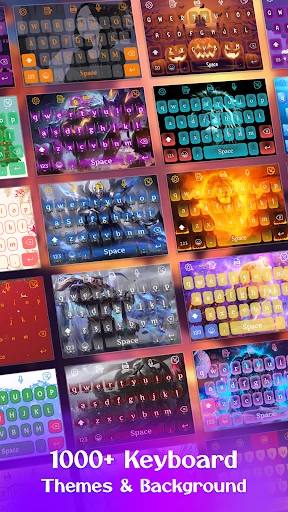
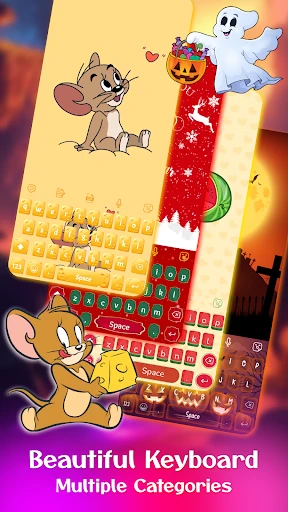
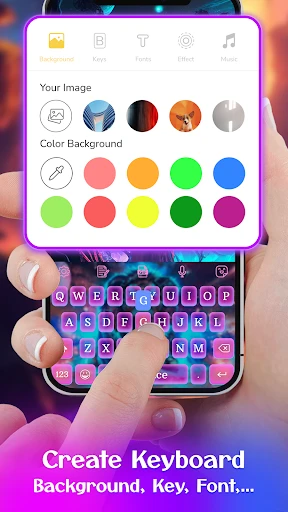
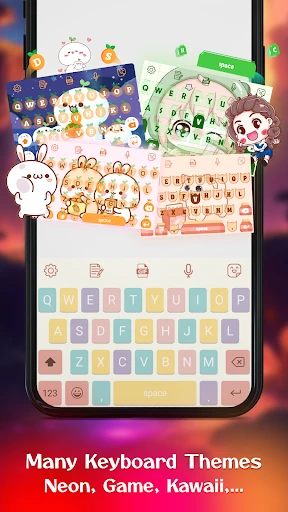
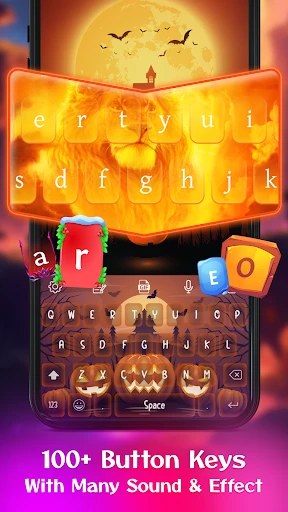
Now, onto the main event - customization. Keyboard Maker allows you to personalize every aspect of your keyboard. You can choose from a plethora of themes, ranging from minimalist designs to more intricate and flashy ones. And if the pre-made themes don't tickle your fancy, you can create your own! The app offers a wide array of options to tweak colors, fonts, and even key shapes. As someone who loves a personal touch, this feature was right up my alley.
The app also supports multiple languages, which is perfect if you switch between different languages often. Plus, there's an option to adjust the keyboard's height and width, so you can make it fit your typing style perfectly. No more cramped fingers!
How It Feels to Use
While all the customization options are great, what really matters is how the keyboard performs, right? I found the typing experience to be smooth and responsive, with no noticeable lag. The autocorrect feature works well, though it's not perfect – but then again, which autocorrect is? The app also features gesture typing, which lets you glide over the letters instead of tapping them. It's pretty handy for one-handed texting, especially when you're juggling a coffee cup in the other hand.
One thing worth mentioning is the battery consumption. With all the features it packs, I was worried it might drain my battery quickly. However, it seems pretty efficient, and I didn't notice any significant drop in battery life during my testing.
Wrapping Up the Review
All in all, Keyboard Maker: Keyboard Theme is a solid choice if you're in the market for a customizable keyboard app. It's user-friendly, offers a ton of customization options, and performs well without being a battery hog. Whether you're looking to add a splash of color to your keyboard or want to create a design that reflects your personality, this app has got you covered.
So, if you're ready to level up your typing game and give your keyboard a makeover, give Keyboard Maker a try. It's free to download, so why not check it out and see if it fits your style?
- Developer
- BlueSkySoft
- Version
- v47
- Installs
- 5,000,000+
- Android Version
- 5.0
- Content Rating
- Everyone
- Price
- Free
- Highly customizable keyboard themes
- Supports multiple languages
- User-friendly interface
- Fast and responsive typing
- Regular updates with new features
- Ads can be intrusive
- Limited free theme options
- Some features require in-app purchases
- Occasional bugs in theme customization
- Not compatible with all devices