Chatbot AI - Search Assistant
Chatbot AI - Search Assistant: A User's First Look
Chatbot AI - Search Assistant: A User's First Look
Getting the App Up and Running
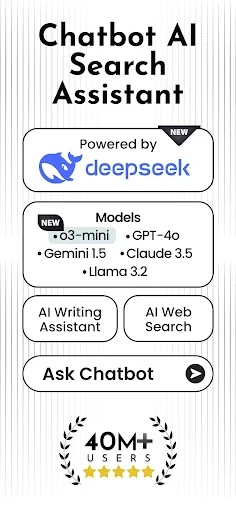
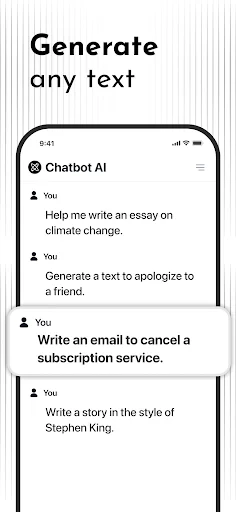
First things first, getting the Chatbot AI - Search Assistant on your phone is super simple. You can find it on both the App Store and Google Play. The design is clean and easy to understand right from the start. When you open it, a friendly AI greets you, ready to help. The setup process is smooth, with a few quick questions to help customize the AI to your preferences. You can adjust how it talks and what kinds of tasks you want it to help you with.
What It's Like to Chat with the AI
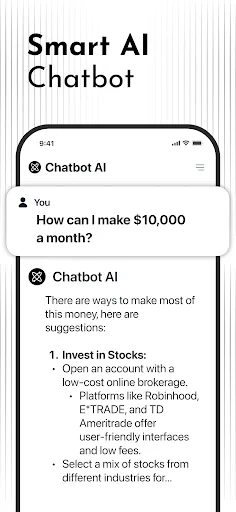
After the quick setup, the real fun starts. You can talk to this smart assistant just like you would a person. Looking for the closest pizza place? Just ask. Curious about the weather tomorrow? It has the answer. The AI is really good at understanding the flow of a conversation, which makes talking to it feel surprisingly natural. It also picks up on your habits over time, offering you helpful tips and reminders based on your usual routine.
How Well It Works and How Easy It Is to Use
In terms of speed and accuracy, I found Chatbot AI to be very quick on its feet. It pulls information from a huge variety of sources, so you get correct and current answers. The voice recognition feature is especially impressive, turning your spoken words into text without a hitch. It even understood me most of the time, and I don't have the clearest accent.
Where this app really stands out is its ease of use. It doesn't matter if you're a tech expert or a beginner; finding your way around the features is straightforward. The designers did a great job making everything clear and simple. The look of the app is modern and sleek, focusing on being useful without being boring.
Some Really Cool Extra Features
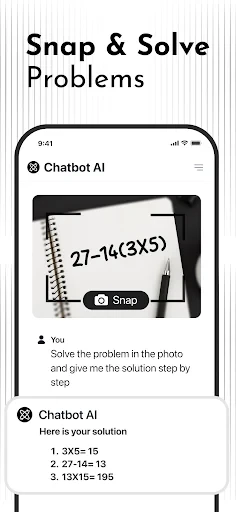
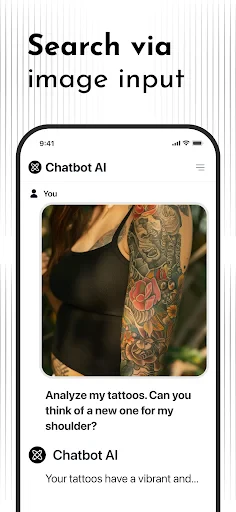
What makes Chatbot AI different from other assistants is its wide range of abilities. It does more than just answer questions. It works smoothly with other apps on your phone. Need to add an event to your calendar or send a quick text without typing? Chatbot AI can do it all effortlessly.
Another great feature is that it remembers your conversation. You can ask a follow-up question without repeating all the details from before. It's a small touch, but it makes the whole chat feel much more fluid and natural.
Wrapping Up My Experience
Overall, Chatbot AI - Search Assistant is a robust and enjoyable tool. It's like having a personal helper available all day, every day, for whatever you need. Whether you're using it to get work done, for fun, or just to look things up, this app is definitely worth a download. Its ability to learn your preferences makes it a genuinely useful partner for simplifying your daily life.
So, if you're looking for a dependable digital helper, you should test out Chatbot AI. It could easily become your go-to guide for everything online.
- Developer
- Codespace Dijital
- Version
- 2.8.4
- Installs
- 10,000,000+
- Android Version
- 7.0
- Content Rating
- Everyone
- Price
- Free
- User-friendly interface for easy navigation.
- Provides accurate and quick responses.
- Supports multiple languages for global users.
- Integrates well with other apps and services.
- Offers customizable settings for a personalized experience.
- Limited offline functionality available.
- Occasional lag in response time.
- Some advanced features require a subscription.
- May consume significant battery power.
- Privacy concerns with data handling.