Simple Alarm Clock
Waking up can be a real struggle, right? If you’re anything like me, you probably hit that snooze button more times than you can count. Enter the Simple Alarm Clock app. Designed to make waking up a bit less of a chore, this app aims to get you up and at ‘em with minimal fuss. Let’s dive into what makes this app tick and whether it’s worth a spot on your home screen.
Waking up can be a real struggle, right? If you’re anything like me, you probably hit that snooze button more times than you can count. Enter the Simple Alarm Clock app. Designed to make waking up a bit less of a chore, this app aims to get you up and at ‘em with minimal fuss. Let’s dive into what makes this app tick and whether it’s worth a spot on your home screen.
Getting Your New Alarm Clock Ready
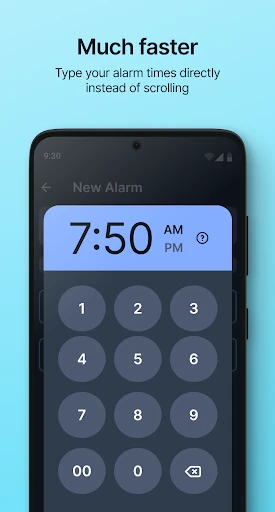
So, first things first, you’ll want to download the app. Whether you’re on Android or iOS, the download is quick and painless. Once you’ve got it installed, setting up an alarm is as easy as pie. The interface is super intuitive, which means you won’t be fiddling around trying to figure out how to set your morning wake-up call. Just a few taps and you’re all set.
Handy Features You'll Actually Use
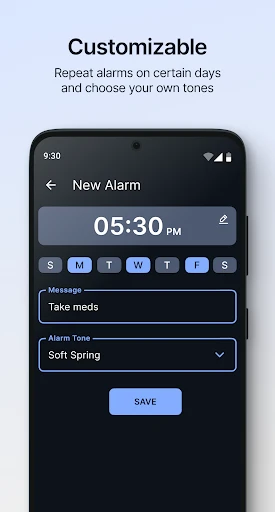
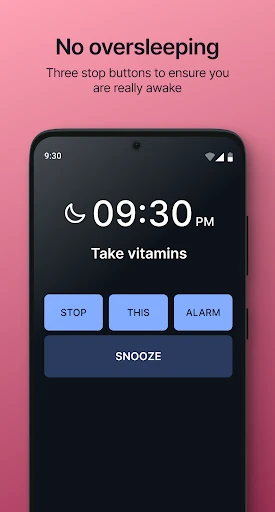
Let’s talk features. The Simple Alarm Clock isn’t just about waking you up; it’s about doing it in a way that suits your style. You can choose from a variety of alarm tones, from gentle melodies to more jarring sounds for those heavy sleepers. Plus, there’s a nifty option to adjust the snooze duration. Need an extra five minutes? No problem. More of a ten-minute person? You’ve got it.
One feature I particularly love is the gradual volume increase. Instead of being jolted awake by a sudden blare, the alarm starts softly and gradually gets louder. It’s a gentler way to wake up, especially on those lazy Sundays when you don’t have to rush out of bed.
Finding Your Way Around the App
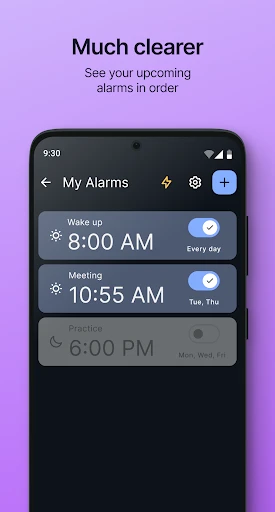
The navigation is as straightforward as it gets. The app’s minimalist design means you won’t find yourself lost in a sea of unnecessary options. Everything you need is right there at your fingertips, from setting and editing alarms to checking out the settings to customize your experience.
And if you’re someone who travels a lot, the world clock feature is a lifesaver. It’s easy to add multiple time zones, which is great for keeping track of time differences when you’re bouncing between cities.
Is This App the One for You?
So, is the Simple Alarm Clock worth downloading? If you ask me, it definitely is. It’s got all the features you need in an alarm clock app without any of the fluff. The design is clean, the app is easy to use, and the features are genuinely useful. Whether you’re a morning person or someone who needs a bit of extra help getting out of bed, this app has got you covered.
To sum it up, if you’re in the market for a no-nonsense alarm clock app that gets the job done, give the Simple Alarm Clock a try. You might just find it’s the wake-up call you’ve been looking for.
- Developer
- Moula Software
- Version
- 8.6.6
- Installs
- 10,000,000+
- Android Version
- 6.0
- Content Rating
- Everyone
- Price
- Free
- User-friendly interface for easy setup
- Customizable alarm tones for personalization
- Snooze feature with adjustable intervals
- No intrusive ads to disrupt usage
- Low battery consumption for efficiency
- Limited to basic alarm functions
- No integration with smart home devices
- Lacks advanced scheduling options
- No weather updates or news features
- Interface design is outdated