Speechify – Text to Speech
Getting Started with Speechify: A Handy Tool for Everyone
Getting Started with Speechify: A Handy Tool for Everyone
Alright, let me tell you about this cool app I stumbled upon recently. It's called Speechify and, honestly, it's a game-changer for anyone who wants to consume text content in a different way. Whether you're a student trying to multitask, a professional on-the-go, or someone who just loves listening instead of reading, Speechify has got you covered!
So, What Exactly is Speechify?
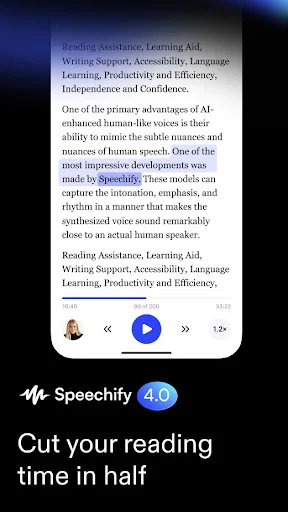
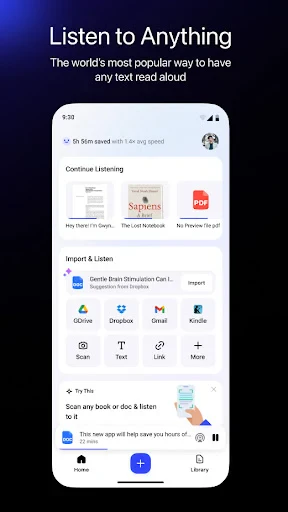
So, Speechify is basically a text-to-speech app that works like magic. You can take any text, whether it's from a document, a webpage, or even a picture, and it will read it out loud to you. The app is available on both Android and iOS, so no worries about compatibility issues. And yes, it's super easy to download and set up.
The Coolest Features You'll Love
One of the first things I noticed about Speechify is its user-friendly interface. You don't need to be a tech wizard to navigate through it. Just select your text, choose your voice, and hit play! It's as simple as that.
Now, talking about voices, Speechify doesn't just give you the robotic monotone we all dread. It offers a range of natural-sounding voices that make the listening experience actually enjoyable. You can even adjust the speed of the narration to match your preference. Fast reader? No problem. Want to slow things down? You got it.
Reading Text from Photos
Oh! And I can't forget to mention its OCR (Optical Character Recognition) feature. This nifty tool allows you to snap a photo of any text and Speechify will convert it into speech. It's like having a personal assistant reading things out for you, anytime, anywhere.
Picking Up Right Where You Left Off
Another feature that really impressed me is the ability to sync across multiple devices. Start listening to an article on your phone during your morning commute and pick up exactly where you left off on your laptop at work. It's seamless and super convenient.
What's It Actually Like to Use?
Using Speechify feels like having a buddy who's always ready to read things out for you. Whether I'm cooking, working out, or just lying down with my eyes closed, I can keep up with my reading list without actually reading. It's like turning any time into productive time.
And let's not forget about the customization options. You can choose different voices and languages, making it a versatile tool for language learners as well. The app also supports various formats, so whether it's a PDF, a web page, or a Word document, Speechify handles it all.
Wrapping It All Up
In a nutshell, Speechify is a fantastic app that has found a permanent place on my phone. It's perfect for anyone looking to make their reading more flexible and accessible. Whether you're a busy bee trying to juggle multiple tasks or someone who just enjoys the auditory experience, Speechify is definitely worth a try.
So, what are you waiting for? Give it a shot and let me know how it transforms your reading habits


- Developer
- Speechify - Text To Speech | Dyslexia Reading
- Version
- 5.14.3477
- Installs
- 5,000,000+
- Android Version
- 9
- Content Rating
- Everyone
- Price
- Free
- High-quality voice output
- Wide range of voice options
- Seamless integration with apps
- User-friendly interface
- Supports multiple languages
- Premium features are costly
- Occasional mispronunciations
- Requires internet connection
- Limited offline functionality
- Ads in free version