Remote Control App For All TVs
Your Smartphone as the Ultimate TV Remote: A Game-Changer?
Your Smartphone as the Ultimate TV Remote: A Game-Changer?
Have you ever found yourself frantically searching for the remote control, only to discover it's buried deep within the abyss of your couch cushions? Or maybe, like me, you've experienced that dreaded moment when the batteries decide to die right in the middle of your favorite show. Enter the Remote Control App For All TVs – a nifty little tool that promises to turn your smartphone into a universal remote control. Let's dive in and see if it lives up to the hype!
Getting Your New Remote in Seconds
First things first, downloading and setting up the Remote Control App is a breeze. Available for both Android and iOS, it’s just a quick search away on your respective app store. Once installed, the app guides you through a simple setup process. Just ensure your smartphone and TV are connected to the same Wi-Fi network, and you're good to go. I found the interface intuitive, with clear instructions that even the least tech-savvy among us could follow.
It Works with Practically Any TV
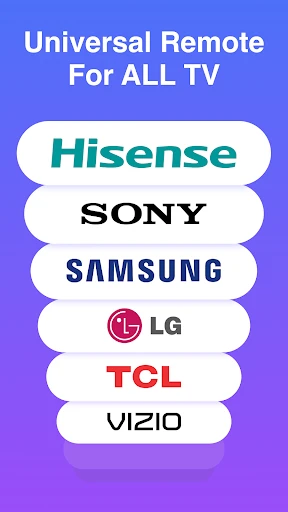
One of the standout features of this app is its wide compatibility range. Whether you have a Samsung, LG, Sony, or even a lesser-known brand, this app has got you covered. It supports a plethora of TV models, which means you’re unlikely to face any hiccups when trying to connect. During my test, I had no trouble syncing with my LG Smart TV, and the connection was seamless and stable.
A Remote That's Actually Easy to Use
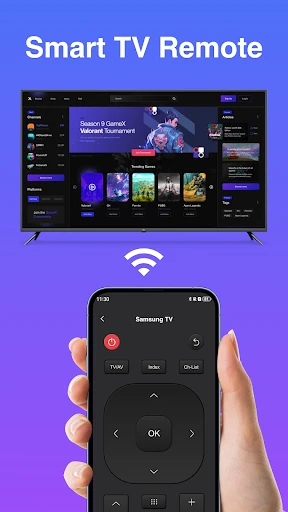
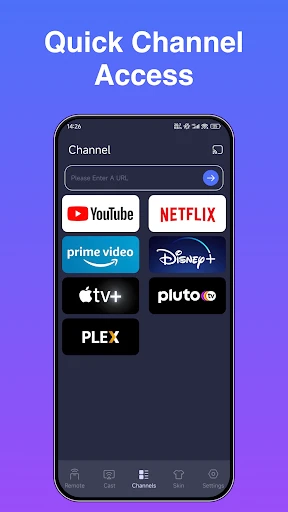
Now, onto the user interface. The app sports a clean, minimalist design that focuses on functionality. The remote layout is simple, with all the essential buttons like volume, channel, and power easily accessible. There's also a handy touchpad feature, allowing for effortless navigation through your TV's interface. I particularly appreciated the addition of shortcut buttons for popular streaming services – a small touch that saves time and effort.
How Well Does It Really Work?
Performance-wise, the app delivers on its promises. The response time is impressive, with commands being executed almost instantaneously. I did a bit of channel surfing, adjusted the volume, and even tested the app with streaming services – all without a hitch. The app's reliability is commendable, making it a trustworthy replacement for traditional remotes.
More Than Just a Remote
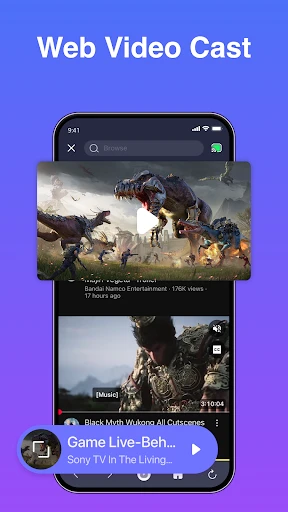
Aside from the basic remote functions, the app offers a few extra features that enhance the user experience. For instance, there's a screen mirroring option, which allows you to project your smartphone screen onto the TV. Perfect for showing off vacation photos or sharing a funny video with friends. Additionally, the app includes a voice command feature, which can be quite handy, especially when you're feeling too lazy to type or swipe.
In conclusion, the Remote Control App For All TVs is a game-changer for anyone looking to simplify their TV-watching experience. It's user-friendly, compatible with a wide range of devices, and performs reliably. While it might not completely replace the tactile satisfaction of a traditional remote, it certainly comes close. So, if you're like me and often misplace your remote, this app might just become your new best friend.
- Developer
- HOOHUA
- Version
- 1.0.8
- Installs
- 50,000+
- Android Version
- 10
- Content Rating
- Everyone
- Price
- Free
- Easy to set up and use.
- Compatible with various TV brands.
- Saves space by eliminating remotes.
- User-friendly interface with intuitive controls.
- Supports multiple devices.
- May experience occasional lag.
- Requires stable internet connection.
- Limited customization options.
- Ads can be intrusive.
- Not all TV functions supported.