TV Cast - Cast for Chromecast
TV Cast - Cast for Chromecast: Your Phone as a TV Remote
TV Cast - Cast for Chromecast: Your Phone as a TV Remote
As someone who's always on the lookout for cool apps to enhance my streaming experience, stumbling upon TV Cast - Cast for Chromecast was like finding a hidden gem in a sea of apps. I mean, who doesn’t love the idea of turning their phone into a remote control and casting their favorite content onto a bigger screen? Let's dive into what makes this app a must-have for all Chromecast users.
Making Streaming Super Simple
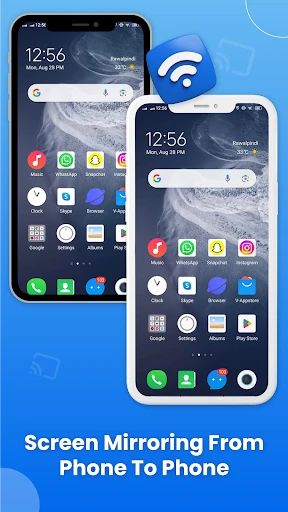
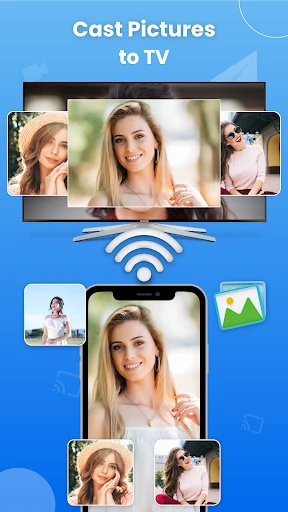
Imagine this: it's the weekend, and you're ready to binge-watch your favorite series, but instead of squinting at your phone screen, you can project it onto your TV. That's where TV Cast - Cast for Chromecast shines. The app acts as a bridge between your mobile device and your TV, allowing you to stream videos, music, and even photos with just a few taps. It’s like having a personal cinema at your fingertips!
Effortless Connection Setup
One of the first things that caught my attention was how incredibly easy it is to connect to your Chromecast. You don’t need to be a tech wizard to get things up and running. Simply ensure your phone and Chromecast are on the same Wi-Fi network, open the app, and voila! You’re ready to start casting. The interface is user-friendly, and I found the setup process to be intuitive, even for someone who isn’t super tech-savvy.
Casting All Sorts of Media
What really sets this app apart is its versatility. Whether you’re looking to stream videos from popular platforms or cast your own media files, this app has got you covered. I personally love the fact that it supports a wide range of formats. From MP4 to MKV, you name it, and this app can cast it. Also, the video quality remains top-notch, ensuring that you don’t miss out on any details while watching your favorite shows or movies.
Cool Extra Features to Enjoy
Beyond the basic streaming capabilities, this app offers some nifty features that can enhance your viewing experience. For instance, you can use the app to control playback without having to fumble around for your TV remote. Plus, it supports subtitles, which is a huge plus for me as I love watching international films. And did I mention that there’s no annoying lag? The streaming is smooth, making for an enjoyable viewing experience.
For those who love tweaking settings, the app also provides customization options to enhance picture and sound quality. This means you can adjust the settings to suit your viewing preferences, making each streaming session a personalized experience.
Wrapping It Up
In a world where convenience is key, TV Cast - Cast for Chromecast delivers on its promise of making streaming easier and more enjoyable. It's perfect for those lazy days when you just want to kick back and enjoy content on a larger screen. The app’s simplicity, versatility, and smooth performance make it a worthwhile addition to your app collection. So, if you’re a Chromecast user looking to enhance your streaming game, give this app a try. You won’t be disappointed!



- Developer
- Generation z apps
- Version
- 1.5.25
- Installs
- 500,000+
- Android Version
- 8.1
- Content Rating
- Everyone
- Price
- Free
- Easy to set up and connect
- Supports various video formats
- Compatible with multiple devices
- User-friendly interface design
- No lag during casting
- Limited free version features
- Ads can be intrusive
- Occasional connectivity issues
- Requires stable Wi-Fi connection
- Subscription needed for premium features